
How to Write an ATS-Friendly Resume
Learn how to format, tailor, and proofread a resume that applicant tracking systems and recruiters can read clearly.
An ATS-friendly resume uses plain, recognizable structure so both software and a recruiter can find your qualifications. It does not need to look bland. It needs clear headings, relevant language from the job description, accurate dates, and results that are easy to scan. Start with the job you want, then make the content and format serve that job.
What ATS-friendly means
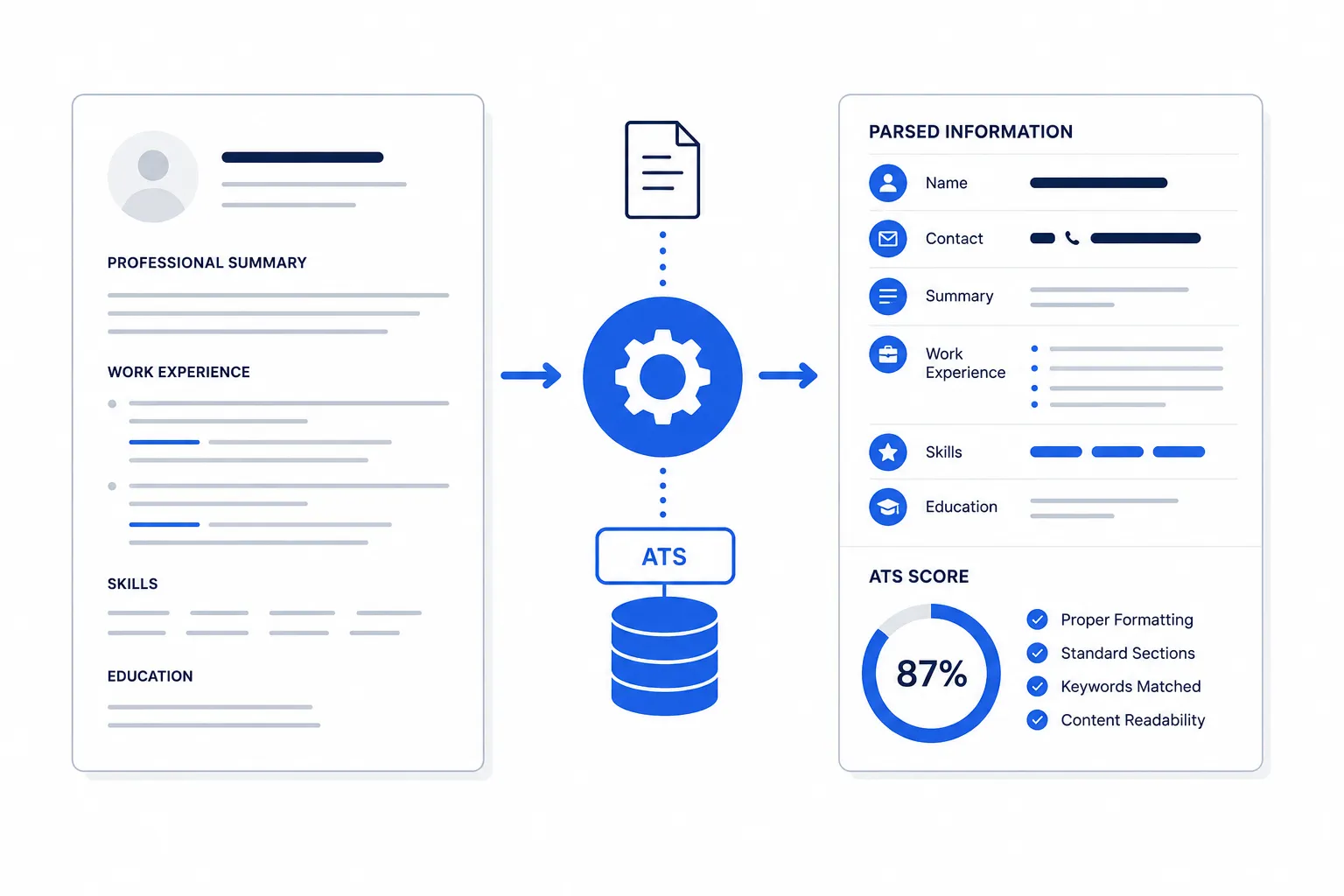
An applicant tracking system stores applications and helps employers search, review, and move candidates through hiring. Different systems parse files differently, so there is no magic template or universal score. The reliable approach is to make your information explicit: use standard section names, conventional dates, simple layout, and terms an employer actually uses.
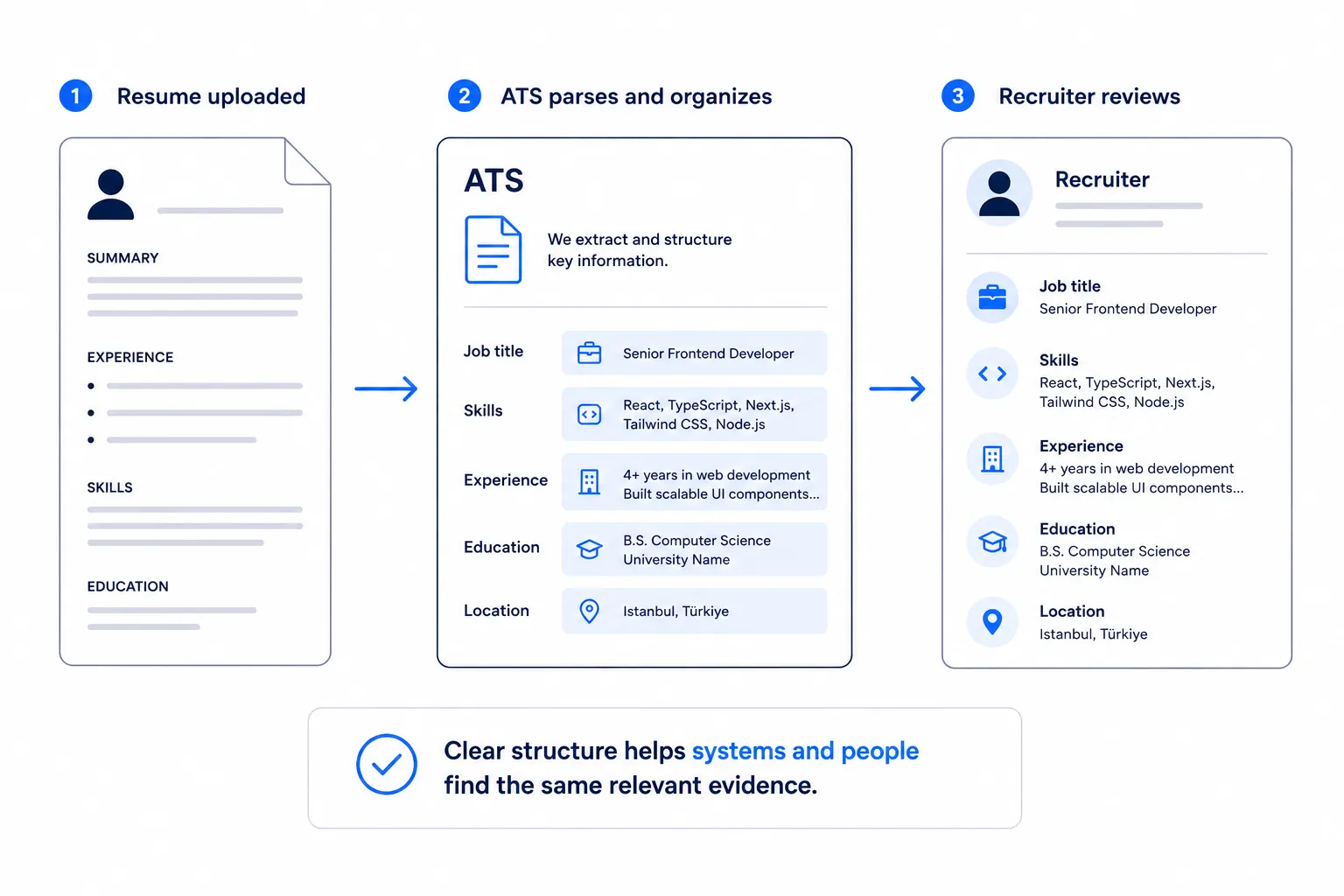
An ATS-friendly resume is also recruiter-friendly. A person should be able to see your role, employer, dates, skills, and strongest evidence in seconds.
Build the resume in seven steps
1. Read the job description for evidence
Underline the job title, required tools, core responsibilities, and outcomes. Separate requirements into three groups: must have, useful to have, and background context. Do not copy every phrase. Use the wording only when it truthfully describes your experience.
For a customer success role, renewals, onboarding, Salesforce, and retention may be important terms. If you led onboarding and tracked retention, put those facts in the work experience where you can support them.
2. Use a simple section order
For most applicants, use this order:
- Contact information
- Professional summary, when it adds useful context
- Skills
- Work experience
- Education
- Certifications, projects, or relevant additional sections
Use headings such as Work Experience, Education, and Skills. A system can recognize many variations, but familiar labels reduce ambiguity. Put each employer, title, location when useful, and date range on its own clear line.
3. Write a targeted summary
A summary is optional. Use it when you have relevant experience to frame, are changing careers, or need to clarify a specialty. Keep it to two or three sentences. Name your field, strongest relevant capabilities, and a credible result or scope.
Weak: Hardworking professional seeking a challenging position.
Stronger: Customer success manager with five years of B2B SaaS experience, specializing in onboarding, renewal planning, and Salesforce reporting. Managed a $1.2M book of business and improved renewal forecasting accuracy through a weekly risk review.
The stronger version gives a recruiter searchable context and evidence. It does not claim that a generic personality trait is a qualification.
4. Turn duties into evidence
Your experience section carries the most weight. For each relevant role, lead with outcomes and use action verbs. Include the tool, audience, volume, time frame, or result when it is real and useful.
Before: Responsible for monthly reports.
After: Built monthly Salesforce retention reports for 42 enterprise accounts, helping account teams identify at-risk renewals two weeks earlier.
The second bullet includes the work, tool, scale, and reason it mattered. Read the full resume bullet guide for a repeatable writing method.
5. Match keywords honestly
Resume keywords are role-specific words employers use to describe skills, tools, credentials, and responsibilities. Put a keyword in context where possible. A standalone skills list can support your experience, but it cannot prove you used the skill.
If a posting requests SQL, A/B testing, and stakeholder communication, include those terms only when they are true. For example: Queried product usage data in SQL and shared A/B test findings with product and marketing stakeholders.
6. Choose readable formatting
Use one column, a standard font, adequate white space, and consistent dates. A PDF is usually a good choice when the application accepts it, but follow the employer's stated format. Avoid text embedded in images, decorative text boxes, headers or footers that contain essential details, and charts that repeat information better written as text.
Use a reverse-chronological layout unless a different format solves a real problem. The most recent relevant evidence should be easy to find.
7. Check the parsed information and the human scan
Export your resume, reopen it, and select the text. If selection produces a normal reading order, that is a useful basic check. Then review it as a recruiter would: can someone find your current role, key fit, and last two achievements without hunting?
Common mistakes
- Using a design that hides the reading order. Columns, text boxes, icons, and graphics can make a resume harder to parse. Put vital content in the main document flow and test the exported file.
- Repeating keywords without proof. A dense skills section may look artificial and does not show proficiency. Show important skills in an achievement or project.
- Using one generic resume for every role. A generic document makes relevant experience harder to notice. Adjust the summary, skill emphasis, and bullet order for the target role.
- Writing duty-only bullets. Duties tell the reader what your job was, not how you performed. Add a result, scale, or specific contribution.
- Leaving dates or titles unclear. Ambiguous timelines create work for the recruiter and can cause parser errors. Use a consistent month-year format such as
May 2023 to August 2025. - Treating an ATS score as a verdict. A score is a diagnostic, not a hiring decision. Use it to inspect missing role terms or formatting issues, then apply judgment.
Best practices recruiters notice
- Mirror the employer's accurate job title language where it fits your background.
- Put the most relevant accomplishment first under each role.
- Explain acronyms once when the full term is likely more searchable.
- Keep claims specific enough to discuss in an interview.
- Remove experience, skills, or adjectives that do not help the target role.
Tailoring example: From generic to role-specific
Consider an operations specialist applying for a supply chain analyst role. Their original resume lists Created reports, communicated with teams, and helped with inventory. Those tasks may be real, but they do not tell the reader which analyst skills are already present.
After reading the job description, the candidate sees repeated requests for inventory reporting, Excel, exception management, and cross-functional communication. They can make a truthful revision:
Maintained weekly Excel inventory reports for three distribution centers, flagging stock exceptions for purchasing and warehouse teams before replenishment deadlines.
This revision does not add a new title or pretend the candidate owned the supply chain strategy. It makes existing work easier to find and assess. If the candidate used a different spreadsheet tool, they should name that tool rather than inserting Excel only because the posting uses it.
Tailoring example: A student project
Students and early-career applicants can use coursework, campus roles, volunteer work, and projects when they describe the work with the same care as paid employment. For a junior UX role, Designed an app for class gives too little information.
An evidence-based version could read: Interviewed six student commuters, mapped the trip-planning journey, and prototyped a transit-alert feature in Figma for a semester UX research project.
The bullet names the method, audience, tool, and deliverable. It gives an interviewer a concrete place to explore the candidate’s process. The project should appear under an appropriate section, with the educational context visible rather than disguised as a full-time product role.
What to do when you do not meet every requirement
Most job descriptions describe an ideal candidate, not a checklist that every successful applicant meets perfectly. Separate requirements into three groups: qualifications you clearly meet, adjacent experience you can translate, and areas you do not yet have. Apply your energy to the first two groups.
For example, a posting may ask for a specific customer relationship platform. If you have used a comparable platform, say what you did with it: Managed renewal notes and account health data in HubSpot. Do not state that you used the requested platform if you did not. A recruiter can decide whether the adjacent experience is close enough.
When the gap is fundamental, such as a legally required license or a core technical skill you do not have, a keyword change will not solve it. Consider whether another role is a better current fit, or use the requirement as a learning target for a later application.
A final quality review before you apply
Read the resume in two passes. First, review for truth: are titles, dates, metrics, certifications, and tools accurate? Could you explain every claim without guessing? Second, review for relevance: does the top half of the first page show the work that is most useful for this role?
Then ask someone unfamiliar with your history to identify your target role and two strengths after a 30-second scan. If they cannot, the issue may be section order, vague labels, or too much competing information. This kind of human review complements, rather than replaces, a basic file-readability check.
When to ask for a second opinion
Ask a trusted career adviser, recruiter, mentor, or colleague for feedback when you are unsure whether your experience translates to the target role. Give them the job description and ask focused questions: Which qualifications are clear? Which bullet is hardest to understand? What would you ask me about in an interview? Specific feedback is more useful than asking whether the resume “looks good.”
Use the feedback to clarify evidence, not to add claims that are not yours.
Final checklist
- The target job title and the most relevant requirements appear in truthful context.
- Every role has a clear employer, title, and consistent date range.
- Important bullets start with an action and show a specific contribution or result.
- Section headings use familiar names such as Work Experience and Skills.
- The exported file has a normal reading order and no essential information in graphics.
- The resume is easy for a recruiter to scan in under a minute.
Frequently asked questions
Can an ATS read a PDF resume?
Usually, modern systems can read a text-based PDF, but always follow the application instructions. See Can an ATS read a PDF resume?.
Should I use every keyword in the job description?
No. Use the terms that accurately describe your experience. Unsupported keywords can weaken your credibility in an interview.
Do I need a resume summary?
No. Add one when it gives the reader useful context that your experience section cannot communicate quickly.
Continue learning
Use Democruit’s resume builder to keep each tailored version organized, then review what an ATS is, resume keywords, and the Applicant Tracking System glossary definition.
Related articles
What Is an Applicant Tracking System?
Understand what an applicant tracking system does, how employers use it, and how it affects the way you prepare a resume.
What Are Resume Keywords?
Learn what resume keywords are, where to find them, and how to use them truthfully in a targeted job application.
Can an ATS read a PDF resume?
Get a clear, practical answer to can an ats read a pdf resume, with the next step for a stronger job application.