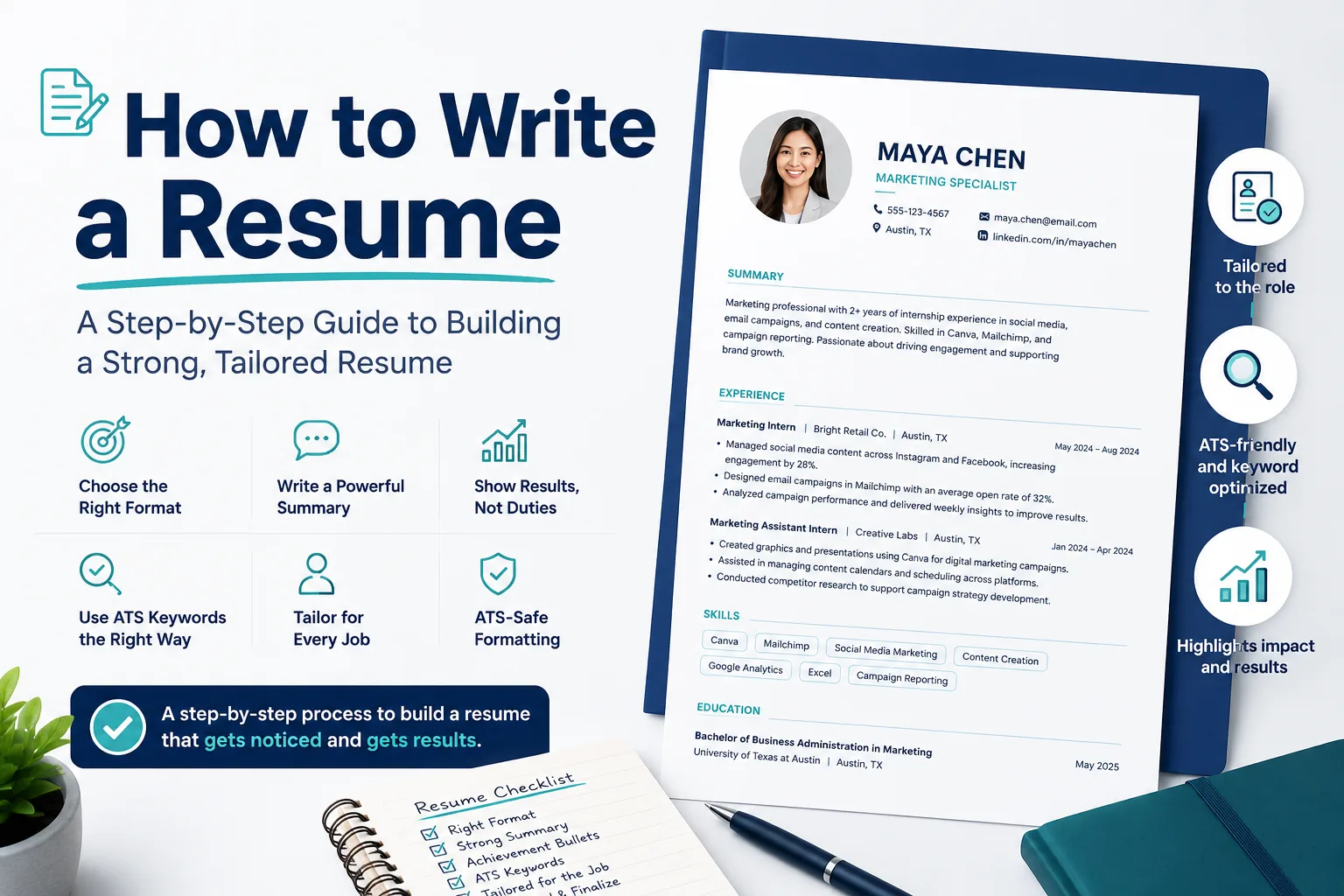
How to Write a Resume: Complete Step-by-Step Guide
Learn how to write a resume that passes ATS filters, highlights achievements, and matches each job with practical examples and expert tips.
How to Write a Resume: A Step-by-Step Guide to Building a Strong, Tailored Resume
Most resume advice focuses on the wrong thing. It tells you to use the right font, keep it to one page, and sprinkle in keywords - as if a well-formatted document is what gets you hired.
It isn't. What gets you hired is a resume that makes a recruiter feel, in about six seconds, that you understand the role and can do the work. Everything else - format, length, keywords - only matters in service of that.
This guide covers the complete process of building a resume that earns that response: choosing the right structure for your background, writing experience bullets that show results instead of duties, passing ATS filters without gaming them, tailoring each version for each role, and finishing with a document you can send with confidence.
What you'll find here:
- How to choose the right resume format (chronological, combination, or functional)
- Contact details, headline, and summary: what to write and what to skip
- How to write achievement-focused bullets and quantify results in any role
- ATS keywords: how to use them naturally without stuffing
- Tailoring your resume step by step for each job
- Education, certifications, and optional sections: what earns its place
- Resume length, templates, and ATS-safe formatting
- Common mistakes, proofreading, and how to use AI without losing your voice
- International resume norms and cover letter basics
Every section includes real examples, before-and-after rewrites, and a clear next step. If you follow it through, you won't just have a better-looking resume - you'll have one that actually reflects what you can do.
Start With the Right Resume Format for Your Situation
Choose your resume format before you start writing bullets, because the structure should support your background rather than hide it. A chronological resume lists your most recent experience first and works best when your internships, jobs, or campus roles show a clear progression. A combination resume places a short skills section near the top while still keeping dated work history, which makes it a strong choice when your experience comes from projects, part-time work, freelance assignments, or a move into a related field. A functional resume emphasizes skills and minimizes dates, but use it carefully. It is usually best reserved for major employment gaps or a sharp career change, since most recruiters still want to see a clear timeline.In practice, the difference is simple:
Chronological: contact details, summary, work history, then skills
Combination: contact details, summary, key skills, then work history
Functional: contact details, summary, skills, then limited work history
For example, if you are applying for a junior marketing role and have an internship, a campus club position, and freelance Canva work, a combination format can surface relevant skills early without hiding your dates. One common mistake is choosing a functional layout just to cover light experience. In most cases, that creates more questions than it solves. Actionable takeaway: pick the format that makes your timeline easiest to follow, then place your strongest selling points near the top.
Add Contact Details the Right Way
When learning how to write a resume, place your contact details at the top so recruiters can find them in seconds. Include only your full name, phone number, professional email address, and city and state. A clean example looks like this: Maya Chen | 555-123-4567 | maya.chen@email.com | Austin, TX. This is one of the simplest resume formatting tips that improves readability without adding clutter.
Leave out your full street address, date of birth, marital status, photo, and secondary contact methods such as fax. These details are unnecessary for modern resume sections and can make your document look dated. A common mistake is using an unprofessional email such as soccerstar99@email.com instead of a name-based address.
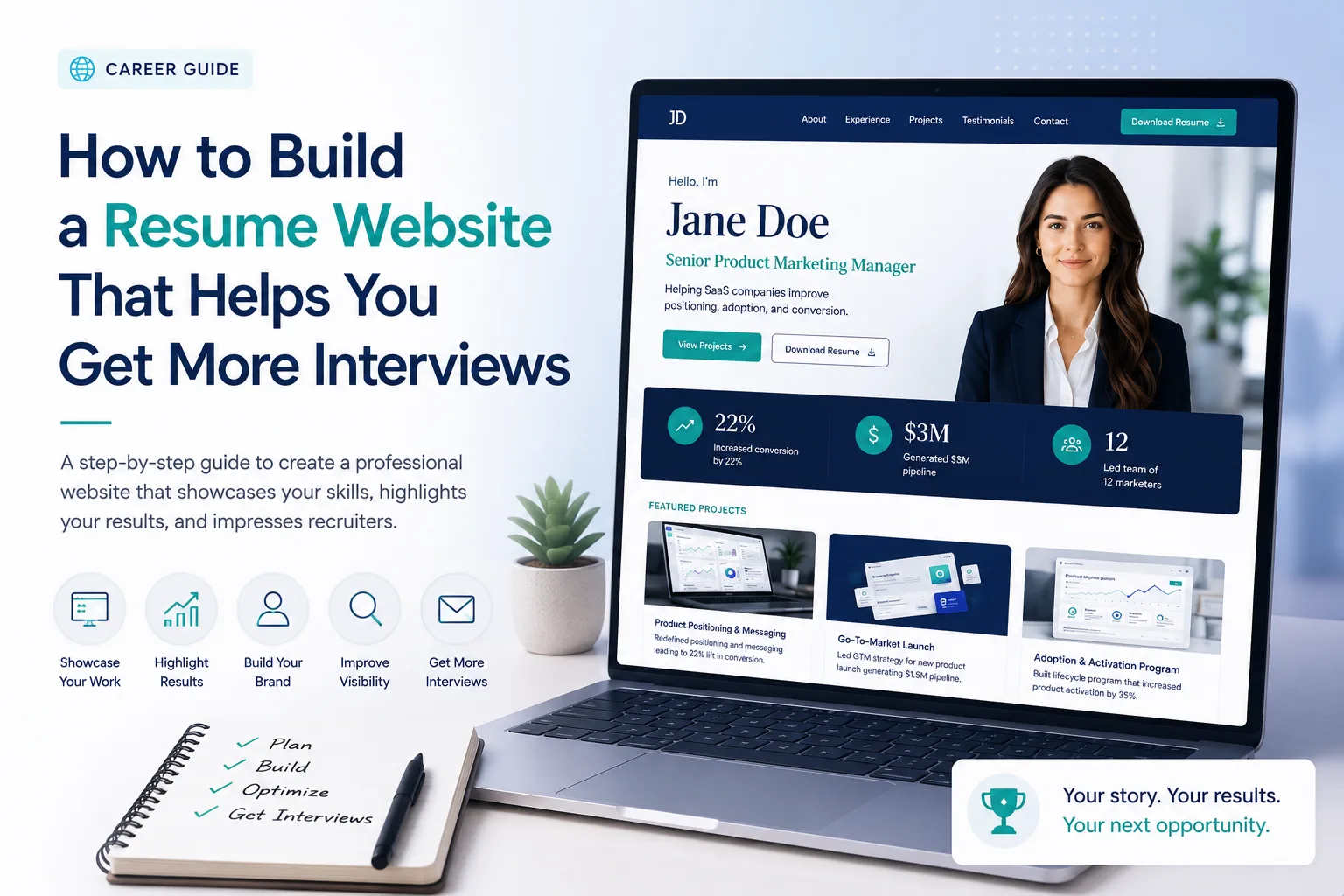
If relevant, add one professional link, such as LinkedIn for most roles or a portfolio for design, writing, or tech work. Candidates who want to showcase projects, case studies, or work samples in more depth may also benefit from creating a dedicated resume website. Keep links current and easy to read. Actionable takeaway: copy your contact line into the resume header, check every link and number, and make sure the information supports a credible first impression before you write the rest.
Write a Resume Summary Statement That Matches the Job
Use a resume summary when you already have relevant experience, internships, projects, or technical skills that connect directly to the role. A resume objective fits better if you are changing fields, applying for your first job, or need to explain a clear direction. A strong summary can be built in one to three lines: your current title or focus, your years of experience or scope, two or three job-relevant strengths, and a direct link to the target role.
To write one, study the posting and pull out the qualifications and resume keywords that appear more than once. Then match them to evidence you can support. Example:
Marketing student with 2 internship terms in social media and email campaigns, experienced in Canva, Mailchimp, and campaign reporting, seeking to support a retail brand’s digital marketing team.
This works because it names tools, scope, and target-role fit without copying the ad. If you are learning how to tailor a resume for a specific job, this is one of the fastest places to show alignment.
Openers such as “motivated hard worker seeking opportunities” provide little useful information and do not help demonstrate fit for a specific role. A stronger approach is to include details that reflect the employer’s stated requirements and your relevant qualifications.
For each application, revise your opening lines to incorporate two key requirements from the job posting along with one qualification you can support with evidence before moving into your experience section.
Present Work History With Clear, Relevant, Achievement-Focused Bullets
In your resume work experience section, list each role in the same format every time:
Job Title | Employer | Location | Dates.
Consistency helps recruiters scan quickly and compare roles without extra effort. Start with the most relevant experience, even if it comes from internships, part-time jobs, campus work, or major projects. Give more space to the roles that best match the job you want.
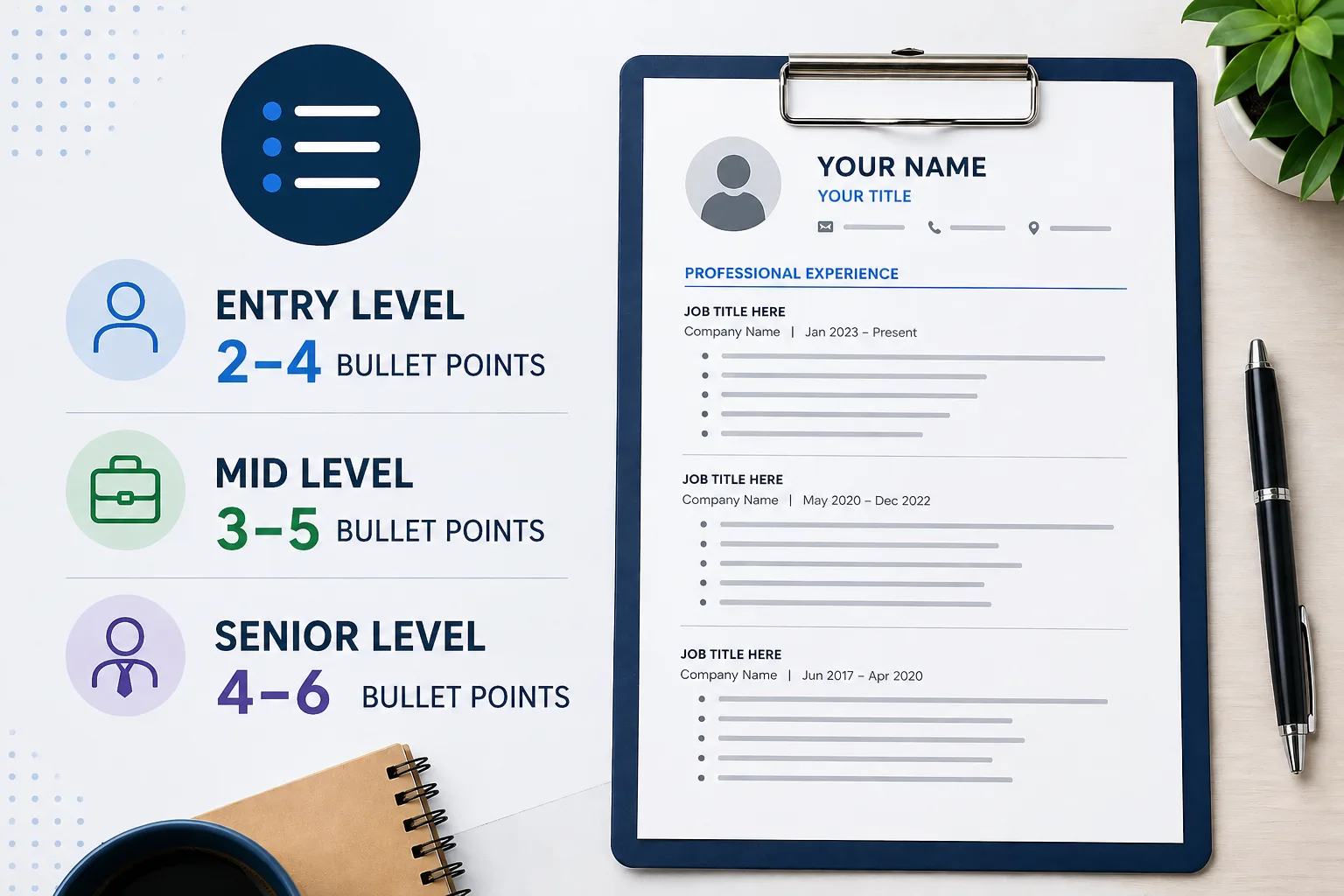
Under each role, use 2–4 bullets that show scope and results rather than a full task list. If you are unsure how much detail to include for each position, follow established resume bullet point best practices to balance readability with evidence of impact. A strong bullet answers three questions: what did you do, how did you do it, and what changed because of it?
Example:
Student Marketing Assistant | City Bookstore | Boston, MA | Jan 2024–May 2025
Created weekly Instagram promotions for 12 store events, helping increase average event attendance by 18% over one semester.
That works much better than a generic line such as “Responsible for social media,” which is a common mistake because it says little about impact. If you are learning how to write resume bullet points with action verbs, choose verbs that match the work - such as analyzed, coordinated, built, or improved - and connect them to specific resume achievements.
Before keeping a bullet:
Ask:
- Does it relate to the target role?
- Does it demonstrate impact?
- Can I defend it in an interview?
If not, rewrite or remove it.
Revise every bullet so it proves relevance to the target role and shows a concrete outcome, even if the result is small. That also makes later quantifying much easier.
How to Quantify Achievements and Turn Duties Into Results
Strong resume achievements show what changed because of your work. Use a simple formula: action + task + scope + measurable result.
Start with what you did, then add numbers tied to volume, speed, quality, cost, or customer impact. If you do not have revenue data, quantify the size of the work: number of users served, requests handled, projects completed, error rate reduced, or hours saved each week.
For example, instead of “Managed front desk and answered emails,” write: “Handled 40+ student inquiries per day, scheduled 25 weekly appointments, and reduced response time from 24 hours to under 6 hours by organizing inbox triage in Outlook.” This works in non-sales roles because scope and efficiency still prove value. One common mistake is listing duties only, such as “helped customers” or “assisted with reports,” without showing frequency, quality, or outcome. That makes claims harder to trust.
As one of the most useful resume writing tips, review each bullet and ask: how many, how often, how fast, how accurately, or with what result? Add one concrete metric to every bullet point, then tailor the wording to the role so your evidence is easy to compare in stronger resume examples.
Before-and-After Resume Bullet Rewrites for Students and Experienced Professionals
Use side-by-side rewrites to learn how to write resume bullet points with action verbs and evidence. The goal is not to inflate your work, but to add scope, method, and outcome so recruiters can scan real resume achievements fast.
Student:
❌ Weak: “Helped with campus event planning.”
✅ Strong: “Coordinated check-in and volunteer schedules for a 200-person campus career event, helping the team start on time and stay within budget.”
Intern:
❌ Weak: “Worked on social media.”
✅ Strong: “Created 12 Instagram posts in Canva for a summer campaign, contributing to a 15% increase in profile visits over 6 weeks.”
Early career:
❌ Weak: “Answered customer questions.”
✅ Strong: “Resolved 40+ customer inquiries per shift and maintained a 94% satisfaction score by documenting repeat issues for the team.”
Experienced professional:
❌ Weak: “Managed projects.”
✅ Strong: “Led a 5-person team to deliver a CRM rollout 2 weeks early, reducing manual reporting time by 30%.”
Numbers are most effective when they are accompanied by context, and any result you mention should be something you can clearly explain in an interview. Metrics without explanation can be misleading, while unsupported claims may reduce credibility. For each bullet point, describe what you did, how you did it, and what changed as a result. This approach creates stronger, more persuasive examples and naturally supports the use of relevant keywords throughout your resume.
Add Skills and ATS Keywords Without Sounding Robotic
Your resume skills section should match the role you want, not list every tool you have touched. Start by pulling repeated requirements from the job description, then keep only skills you can support elsewhere in your resume. For example, if a marketing internship posting mentions Google Analytics, Excel, and campaign reporting, include those in the skills section only if your coursework, projects, or work history shows how you used them. This makes the section credible and helps create an ATS-friendly resume.
To find strong resume keywords, scan the job posting for exact terms used in qualifications, responsibilities, and software requirements. Then incorporate those terms naturally into your summary and experience bullets rather than isolating them in a single section. Repeating keywords such as “project management” throughout the summary, skills section, and work history without supporting evidence can make the resume feel artificial and less credible. If you are learning how to make a resume ATS friendly, focus on relevance and proof rather than repetition. Additional ATS-friendly resume techniques can help you understand how recruiters and applicant tracking systems evaluate keyword alignment.
A concise skills section with 6–10 relevant items is usually sufficient. To strengthen credibility, ensure that at least some of those skills also appear in your summary or work history with clear examples of how they were applied.
Tailor Your Resume Step by Step for Each Job
If you want to learn how to tailor a resume for a specific job, begin with the job description rather than your old resume. Highlight repeated skills, required tools, and the top 3–5 priorities in the posting. For example, if a marketing internship mentions Google Analytics, campaign reporting, and cross-functional collaboration, those are clear signals to reflect in your resume keywords and examples.
Then update three areas for each application: your summary, your skills section, and your bullet points. In the summary, match the role focus directly, such as: Data-driven marketing student with experience in campaign reporting and audience analysis. In the skills section, move the most relevant items higher. In your experience section, rewrite proof points so they align with the employer’s needs, for example: Built weekly Google Analytics reports for a student organization, helping track email click-through trends. This keeps your resume ATS-friendly without making it sound copied from the posting.
Keep a master resume: store all projects, coursework, jobs, and metrics in one file.
Create tailored versions: duplicate the master and edit only what supports that role.
Updating keywords in the skills section alone is often not enough if the experience bullets remain generic. The strongest resumes reflect the target role throughout the document, including the examples used to demonstrate experience and results.
Before submitting an application, compare your resume against the job posting line by line and revise at least three experience bullets to better match the role’s priorities. Tools that compare resumes against job descriptions can also help identify alignment gaps that are easy to overlook during manual reviews. This approach makes tailoring more effective and helps maintain consistency across different job applications.
Resume Tailoring Workflow Example: One Base Resume, Multiple Job Targets
Start with one base resume, then adjust only the sections that affect fit most: summary, skills, and work experience. For example, a business student applying to both a Sales Operations Intern role and a Marketing Analyst Intern role should keep the same resume structure but change emphasis. In the summary, “Excel-based reporting and CRM support” fits Sales Operations, while “campaign analysis and dashboard reporting” fits Marketing Analyst.
In the skills section, move the most relevant resume keywords higher instead of listing everything equally. For Sales Operations, lead with Salesforce, pipeline reporting, and Excel. For Marketing Analyst, lead with Google Analytics, A/B testing, and data visualization. In work experience, keep the same internship but rewrite bullets by target: “built weekly sales pipeline tracker used by 4 reps” for Sales Operations versus “analyzed email campaign results and improved click-through rate by 12%” for Marketing Analyst. This is a practical way to learn how to tailor a resume for a specific job without starting over.
Common mistake: changing only the job title at the top while leaving the rest generic.
Actionable takeaway: save one master file, then create a copy for each role and edit those three sections first before reviewing formatting and consistency.
Choose ATS-Safe Resume Templates and Layouts
An ATS-friendly resume uses a layout that software can read in the correct order without guessing. Stick with standard fonts such as Calibri, Arial, or Times New Roman, keep body text consistent, and use clear headings like Work Experience, Education, and Skills. In most cases, a single-column layout with left-aligned text and clean spacing is easier for both recruiters and applicant tracking systems to scan.
Design-heavy templates often create problems. Text boxes, icons, tables, and two-column layouts can separate dates from job titles or cause keywords to appear out of order. For example, a Canva template with sidebars and skill graphics may look polished, but an ATS may misread the content sequence. For file type, send a .docx if the employer requests it, or use a simple PDF only when the posting accepts PDFs and the text remains selectable.
Choose a template with one column and standard section headings.
Avoid graphics, charts, logos, and decorative symbols.
Test your file by copying the text into a plain document to see whether the order stays intact.
If you are wondering how to make a resume ATS friendly, start with readable formatting first. Once the structure is clean, you can refine the wording for your experience level and target role.
Resume Examples by Experience Level
Resume examples work best when they match your stage. Students should lead with education, relevant coursework, projects, campus leadership, and part-time work; keep experience brief and use a one-page resume format. If you are learning how to write a resume with no experience, expand projects, class presentations, volunteer work, and technical skills instead of forcing a thin work-history section. Dedicated guidance for entry-level resume strategies can help you decide which experiences deserve the most space.
Recent graduates should still keep education high, but paid internships, freelance work, and measurable project outcomes should take more space than coursework. Mid-career professionals should move education lower and expand work history with selected achievements, scope, and progression. Senior candidates need a tighter executive-level resume structure: emphasize leadership impact, budget or team size, cross-functional influence, and major business results rather than listing every duty from earlier roles.
Real example: A computer science student can feature a capstone app built in GitHub, including users tested, tools used, and outcome, before unrelated retail work.
The ideal section order and level of detail change as your experience grows. A structure that works well for a student or recent graduate may not be the best fit for a mid-career or senior professional.
Give the most space to the section that provides the strongest evidence of your readiness for the target role, and reduce lower-priority details so your most relevant qualifications appear first. This approach also helps present your qualifications more clearly and consistently throughout the document.
Include Education and Academic Credentials in the Right Format
When deciding how to list education on a resume, use a simple order: degree, major, institution, location, and graduation date. Add honors, GPA, or relevant coursework only when those details strengthen the application. For example:
B.S. in Computer Science, Minor in Data Science, University of Illinois Urbana-Champaign, May 2025, GPA 3.8/4.0, Dean’s List
If you have a double major or joint concentration, list both fields on one line. If you are completing concurrent degrees, separate them clearly so recruiters can scan the information quickly.
Students and recent graduates: place education near the top, especially if it includes study abroad, a strong GPA, or in-progress education such as Expected May 2026.
Experienced professionals: move education lower unless a credential is required for the role.
Certifications and coursework: format them cleanly, such as Google Data Analytics Certificate, Coursera, 2024 or Relevant Coursework: Financial Accounting, Business Law, Excel Modeling.
Avoid listing every class, award, and club in one crowded block, which hides the strongest details. Keep only the academic credentials that support the job, then use the rest of your resume sections to add proof of fit.
Decide Which Optional Resume Sections Are Worth Including
Optional resume sections should earn their place. Before adding one, ask whether it shows skill, credibility, or fit for the role. If it does not, leave it out. A strong resume structure keeps the most relevant evidence near the top and uses extra sections to support that evidence rather than fill space.
Projects: especially useful for students, career changers, and technical candidates. For example, a data analyst applicant might include a Selected Projects section featuring a class dashboard built in Tableau.
Volunteer work: worth adding when it shows leadership, service, or transferable skills, especially for early-career applicants.
Languages, certifications, awards, publications: include these when they match the job or strengthen your credibility.
Interests: use them only if they reinforce the target role or employer fit.
A common mistake is adding every possible section, which makes the resume feel unfocused. For example, a marketing student applying for an internship may benefit from Projects, Certifications, and Volunteer Experience, but not from a long hobbies list. Choose the sections that help the reader decide faster, and remove anything that does not support that goal.
Common Resume Mistakes That Hurt Interviews
Resume proofreading catches errors that can block interviews before a recruiter reads your experience. The most common problems are vague bullets, keyword stuffing, inconsistent formatting, irrelevant details, unexplained gaps, and outdated information. These issues make your resume harder to scan and can weaken credibility.
❌Weak: “Helped with campus events.”
✅Better: “Coordinated 4 campus events for 120+ attendees and handled volunteer schedules.”
❌Weak: “Experienced in Excel, Excel, Excel, teamwork, leadership.”
✅Better: “Used Excel to track weekly sales data and build a dashboard for a student club.”
For example, a student applying for a marketing internship may list old high school activities, but a recruiter usually wants recent projects, class work, or part-time experience that matches the role. Use resume formatting tips to keep dates, fonts, and spacing consistent, and use resume writing tips to remove filler. If you are learning how to make a resume ATS friendly, keep keywords natural and avoid cramming them into every line.Quick self-audit: student resumes should remove outdated clubs, awards, and skills that no longer fit; multi-year professional resumes should explain gaps briefly and focus on current, relevant impact. Clear, current details help your resume earn a closer look and improve interview chances.
Use AI Resume Support the Smart Way
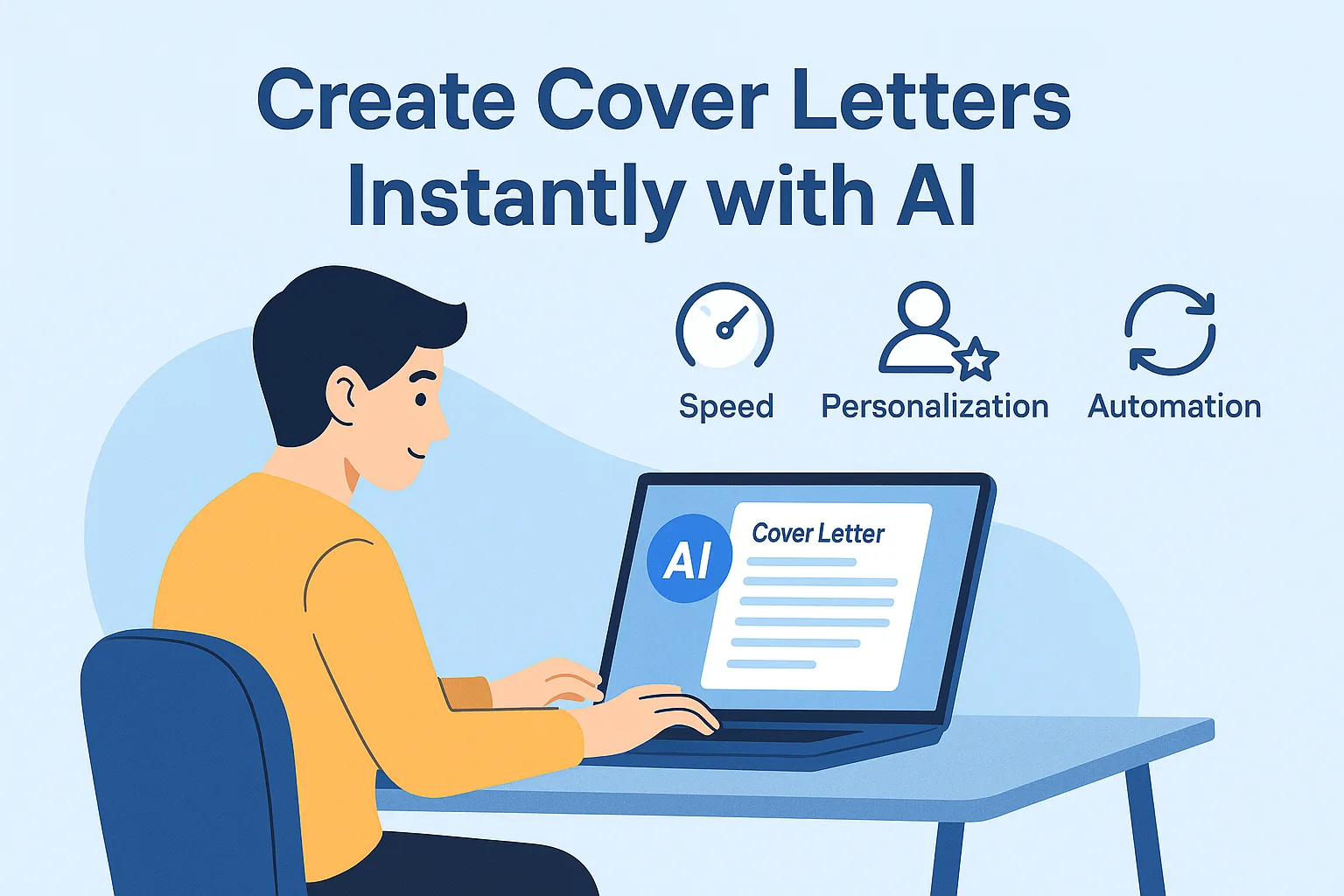
AI resume writing can speed up the first draft, but it works best as support, not a substitute for your judgment. Use it to brainstorm bullet points from class projects, internships, or part-time work; rewrite rough notes into clearer language; extract resume keywords from a job post; and catch grammar or formatting issues. For example, if a posting asks for project coordination and data analysis, you can ask AI to scan the description and suggest where those resume keywords fit your experience.
AI-generated content can sound polished while still failing to reflect your actual experience or the requirements of the role. When this happens, the resume may appear less credible and become harder to defend during an interview.
Review every AI-generated suggestion against your real work experience, then refine it with accurate details, measurable results, and relevant context. This helps ensure the final content remains authentic, specific, and aligned with the position you are targeting.
Good resume writing tips treat AI as a draft assistant: it can help you learn how to tailor a resume for a specific job, but you still need to decide what is true, relevant, and credible. That check matters because generic or inaccurate content can weaken trust fast, especially when recruiters compare your resume to your cover letter and application answers.
Practical AI Resume Editing Workflow With Prompts, Red Flags, and Human Review Checkpoints
Use AI resume writing as a drafting assistant, not a fact generator. Start with one real bullet and the job post. Prompt: “Rewrite this bullet for a marketing internship resume using plain language, keep all facts unchanged, and suggest one stronger metric if I can verify it: Managed club Instagram account and posted weekly updates.” Then ask: “Extract the most relevant skills from this job description and show where my current resume already proves them.” Finish with: “Improve tone so it sounds confident, not exaggerated, and keep my student voice.”
A safe workflow includes three checkpoints: verify every number, tool, and claim; compare the rewrite against your actual experience; and perform a final review of names, dates, and formatting. For example, if AI changes “used Canva for event flyers” into “led multi-channel brand design strategy,” the statement should be removed because it exaggerates the scope of the work. Similarly, achievements such as “improved engagement significantly” should be supported by clear evidence rather than left as vague claims.
After each AI-assisted revision, review any statement you would struggle to defend in an interview and rewrite it in your own words. This helps maintain accuracy, preserve your voice, and ensure the document remains appropriate for different application requirements.
Understand International Resume Norms for the U.S., U.K., and CV-Based Markets
An international resume format should match the hiring market, not just the job title. In the U.S., a resume is usually one page for students or early-career applicants and should not include a photo, age, or marital status. In the U.K., a CV is commonly used for job applications and may run 1–2 pages, often with a short personal profile, but it still avoids sensitive personal details. In many EU or academic markets, a CV may place degrees, thesis topics, and research experience near the top and include more academic detail overall.
Terminology: use CV in the U.K. and many EU contexts, but resume in the U.S.
Dates: write month and year consistently, and localize degree names where needed, such as bachelor’s degree instead of a direct translation.
Academic emphasis: a student applying for a master’s program in Germany may lead with coursework, thesis, and GPA, while a U.S. internship resume should usually lead with projects and experience.
Sending the same document to every country can reduce its effectiveness, especially when it includes elements such as a photo or detailed personal information that are not expected in the target market. Adjusting section labels, academic detail, and overall structure helps ensure the document aligns with local expectations and appears more credible to recruiters.
Side-by-Side Resume vs CV Expectations by Country
The same candidate may need to present identical qualifications differently depending on the country. For a recent marketing graduate, the document expectations often look like this:
U.S.: usually a one-page resume with sections such as Education, Experience, and Skills; dates shown as May 2024; no photo, date of birth, or marital status.
U.K.: often a CV for job applications, sometimes extending to two pages; degree classifications may appear as BA (Hons); dates may be written as 05/2024 or May 2024.
International academic or research markets: a longer CV may be expected, with fuller education details, thesis topics, publications, and research history.
The key difference is not just document length. It is also the level of academic detail, the local terminology, and the type of information employers expect to see first. Sending a U.S.-style one-page resume to a research role that expects a publication list and fuller academic history can create a mismatch with employer expectations. Before applying, verify the document name, degree wording, and date format, then adjust the level of detail in each section to align with local standards.
Choose Resume Length and Section Order With Simple Decision Trees
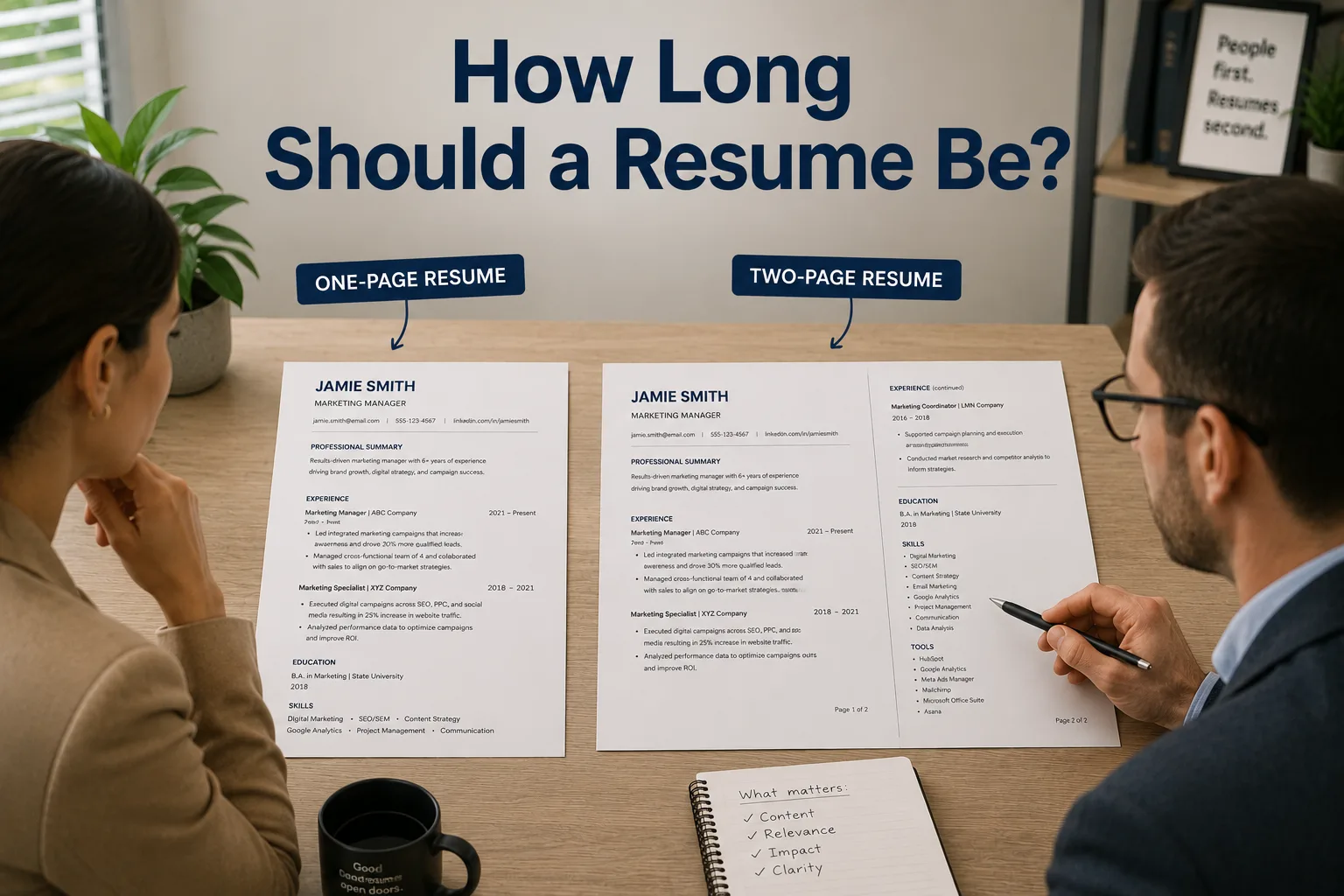
Use a simple rule for resume length: one page works for most students, recent graduates, and applicants with fewer than five years of relevant experience. If you are unsure whether your experience justifies a second page, reviewing resume length guidelines can help you make that decision. Two pages make sense when you have substantial internships, projects, publications, certifications, or role-specific work that would lose value if cut too aggressively. A common mistake is forcing everything onto one page by deleting strong evidence, or stretching weak content across two pages just to look more experienced.
Student or early-career: contact information, summary optional, education first if it is your strongest proof, then experience, projects, and skills.
Professional candidate: contact information, summary optional, experience first, then skills, education, and certifications.
Academic or research-focused role: contact information, education, research experience, publications, teaching, and technical skills.
For example, if you are applying for a data analyst internship and your strongest evidence is coursework in SQL, a Tableau project, and a recent internship, lead with education, then projects, then experience if that order supports the target role better. These resume formatting tips keep your resume practical: put the most convincing section first, and expand to two pages only when the added detail improves selection decisions. Before sending, review whether each section still earns its place.
Proofread, Update, and Finalize Your Resume Before Sending
Before you submit, do one full pass of resume proofreading focused on details that affect credibility. Check spelling, grammar, punctuation, and spacing, then confirm your headings, bullet style, dates, and font sizes are consistent. Review every fact: job titles, graduation dates, employer names, links, phone number, and email address. A common mistake is updating one section of the resume but forgetting to fix matching dates or titles elsewhere.
Read the file in PDF and in editable format to catch layout shifts.
Test for ATS-friendly resume readability by using standard headings, simple bullets, and no text boxes.
Name the file clearly, such as Maya_Patel_Marketing_Resume.pdf, instead of Resume_Final_Final2.pdf.
As an actionable takeaway, create a 60-second pre-send checklist and use it every time: facts verified, formatting checked, file named professionally, and a master resume saved separately from each tailored version. These resume formatting tips and basic resume writing tips also make updates easier, so set a monthly reminder to add new coursework, projects, metrics, or internships before your next application.
Write a Cover Letter That Supports Your Resume
A cover letter should add context to your resume, not repeat it. Following cover letter best practices can help you reinforce your qualifications without duplicating information already found in your resume. If your resume lists your internship, your cover letter can explain why that experience matters for the role and how it connects to the employer’s needs. For example, if you are applying for a marketing assistant job, you might mention that your class project on social media analytics helped you build reporting skills that match the position.
Use a simple structure: open with the job title and one reason you are interested; use the body to reinforce fit, motivation, and 1–2 key qualifications; close by thanking the reader and stating your interest in an interview. This is one of the most useful resume writing tips because it keeps the message focused and helps you show how to tailor a resume for a specific job without copying every detail into the letter.
Avoid turning your resume into a long paragraph. Doing so can make your application feel repetitive and less distinctive. Select two examples from your own experience and briefly explain how they align with the employer’s needs. Keep the explanation focused, relevant, and tailored to the specific role.
You now have a clear way to build a resume that is tailored, ATS-friendly, and easy for recruiters to scan. By choosing the right format, using achievement-focused bullets, adding the right keywords, and keeping each section relevant, you can show fit for a role without sounding generic or overstuffed.
Next, take one job posting and rewrite your summary, top skills, and three work-history bullets so they match that role as closely as possible.
Related Articles
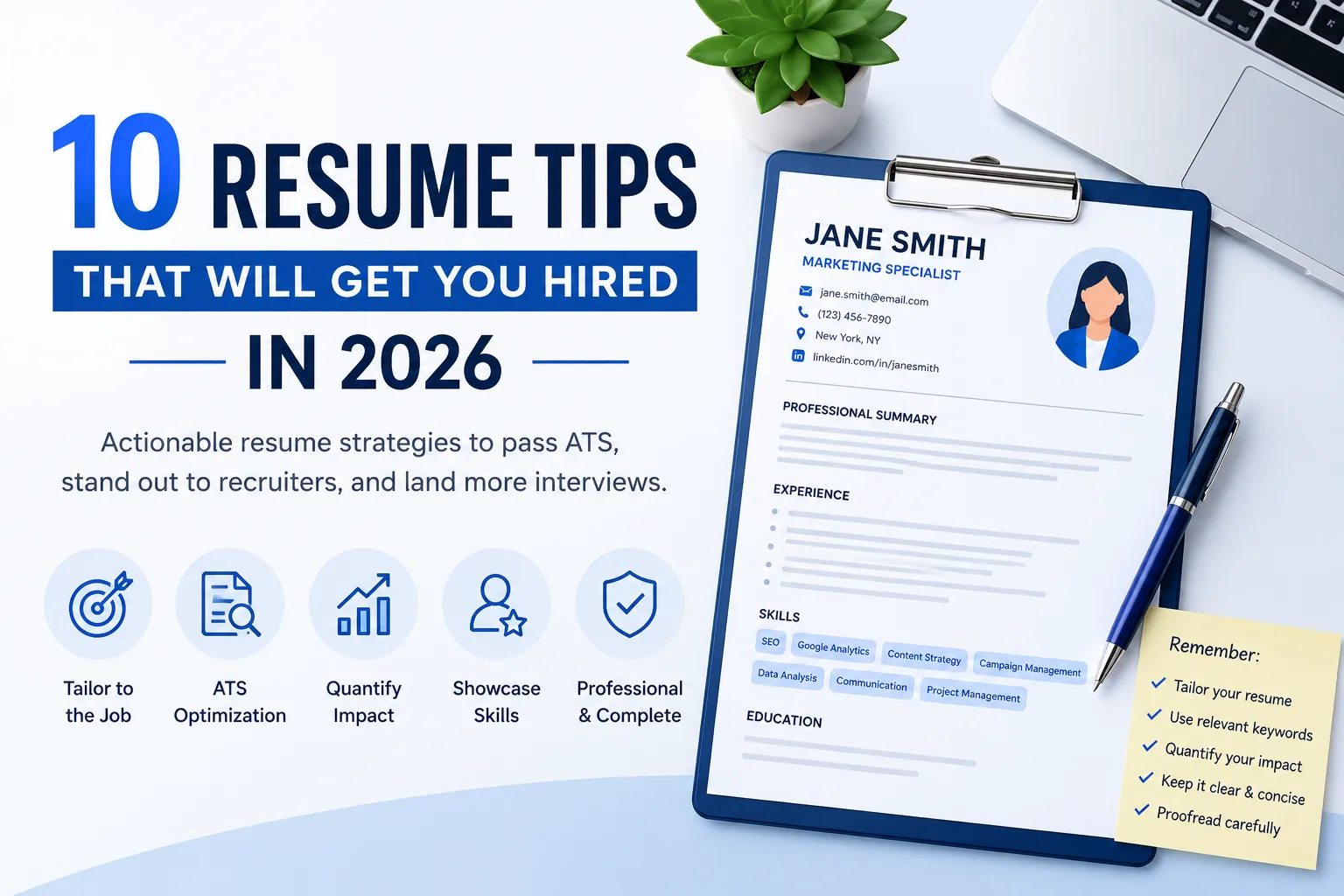
10 Resume Tips That Will Get You Hired in 2026
Learn 10 expert resume tips to get hired in 2026
How to Write a Resume With No Experience (Step-by-Step Guide)
Learn how to write a resume with no experience. Step-by-step guide with examples for students, recent grads, and first-time job seekers.