
Introduction
An online application text box is a place for a message, not necessarily a document upload. Application forms differ: a field may show a character counter, request a specific answer, or not offer a cover-letter field at all. LinkedIn supports Easy Apply and external applications; attachments and questions vary by posting, so do not assume a cover-letter field will appear. See LinkedIn's application guidance and follow the instructions in the application you are completing.
Use the field to connect one relevant qualification to the [Job Title] opening, not to recreate a postal header. This guide focuses on adapting your message to an application field. For the broader parts of a letter, see the cover letter structure guide.
What to address directly
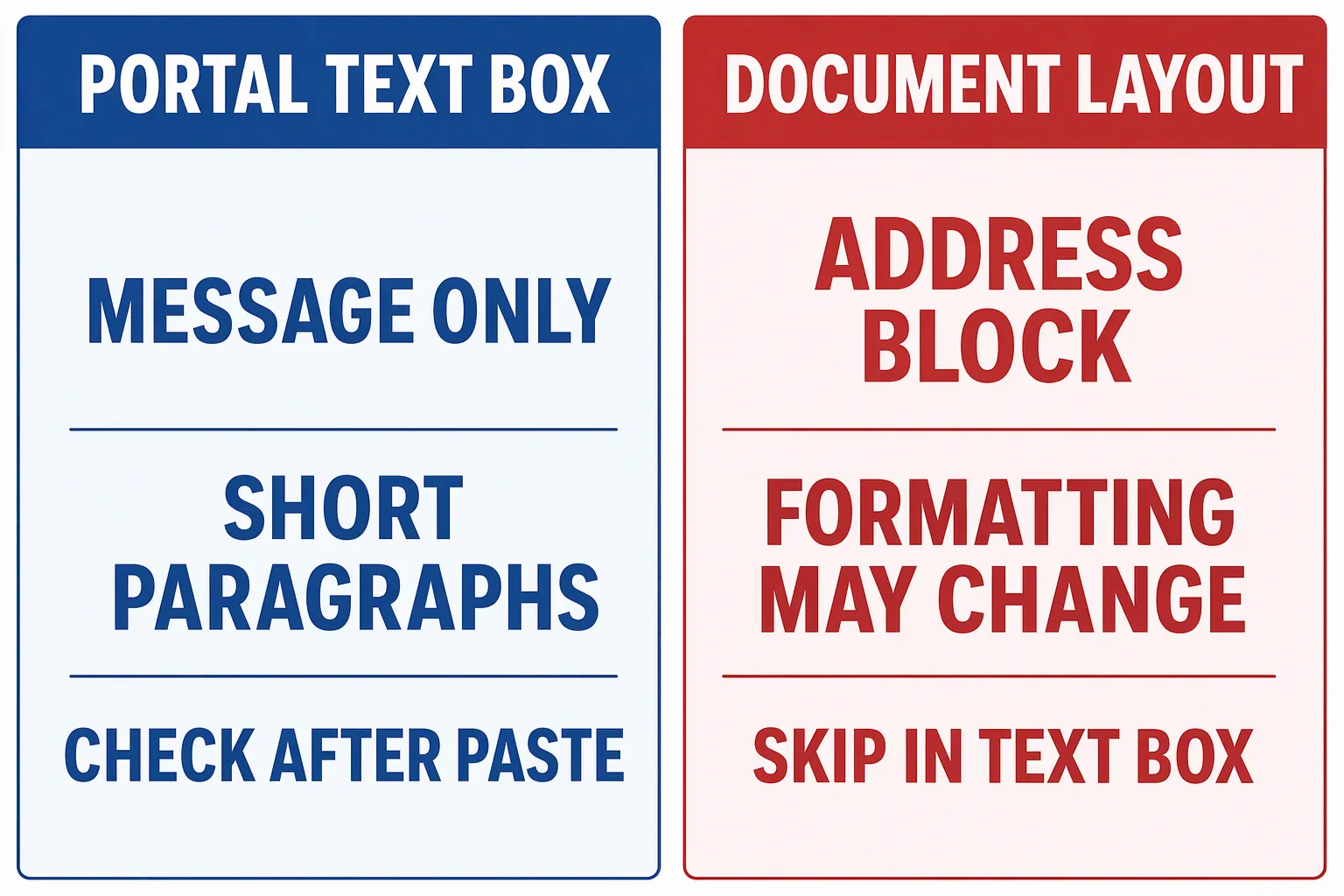
Formatting can change after you paste
- Hiring manager concern
- Formatting copied from a document may not be preserved by a text field. If paragraph breaks or styling change, a carefully arranged draft can become difficult to scan.
- What your letter should prove
- Prepare the message in plain text, using short paragraphs separated by a simple line break. Leave out columns, tables, images, and decorative symbols. After pasting, inspect the field or its preview if one is available. If paragraph breaks have disappeared, add clear breaks and check the result again.
The field may have less room than your draft
- Hiring manager concern
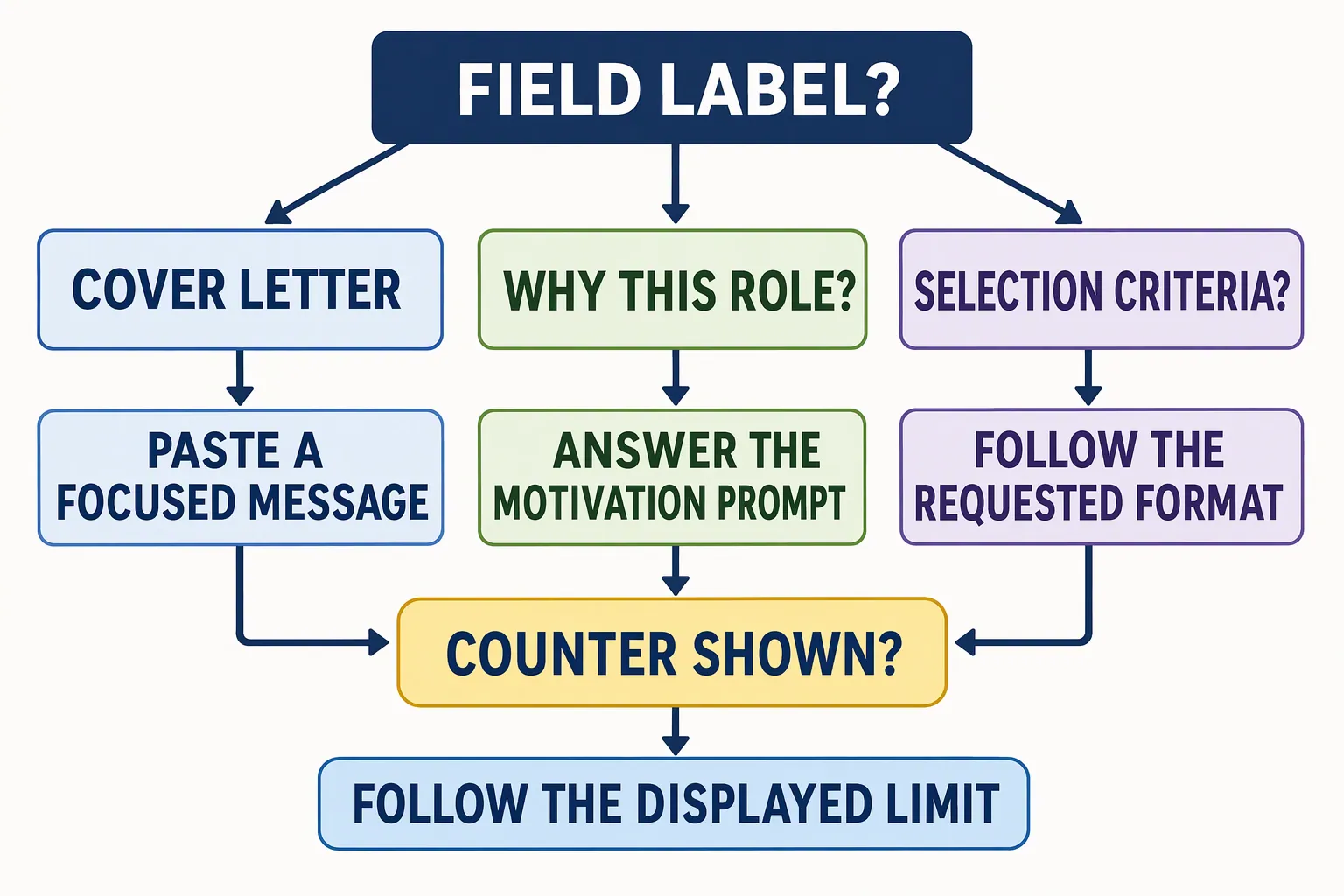
- A displayed character counter can make a longer draft unsuitable for the available space. A word-count target cannot guarantee that a draft will fit a particular field.
- What your letter should prove
- When no limit is stated, 150 to 250 words is a practical editorial target for a focused text-box message, not a platform requirement. When a counter is shown, follow it. Keep a specific reason for applying and one relevant, factual example; remove repetition and background the employer can already see elsewhere.
The field may ask for something other than a cover letter
- Hiring manager concern
- An application may offer a motivation prompt, selection criteria, or a document upload instead of a cover-letter box. Pasting the same general letter into every open field can leave the requested answer unclear.
- What your letter should prove
- Read the field label and nearby instructions before pasting. If it asks why you want the role, answer that prompt directly. If the employer requests a separate document or criteria response, follow that instruction. Indeed says applicants may be able to add a cover letter or other documents, depending on the application; check the Indeed guidance and the actual form rather than assuming every application offers the same options.
Structural approach for a cover letter text box
Build a focused message with a clear beginning, relevant proof, and a direct close. Start with the role and one specific reason for applying. Use the middle to show a factual example connected to a task or requirement in the posting. End by stating your interest in discussing the match. The cover letter opening examples can help you make the first sentence specific without relying on a stock line.
Before writing, check whether the field asks for a full cover letter or a narrower answer. A why-this-role prompt calls for a focused motivation response. A separate selection-criteria field calls for evidence against those criteria. Keep each answer in the field intended for it.
- 01
Identify what the field asks for
Read the label and instructions, including any stated character limit or request for a particular document. Note whether the box asks for a cover letter, a reason for applying, or an answer to a specific question.
- 02
Choose one role-specific reason
Use a detail from the posting or employer information to explain why this [Job Title] interests you. Connect that detail to your experience or motivation. Avoid broad praise that could fit any employer.
- 03
Add one verifiable example
Choose an action, project, or responsibility that shows how you could contribute. Include a result or useful scope only when it is accurate. A clear example is more useful in a limited field than a list of unrelated strengths.
- 04
Paste, inspect, and trim
Paste plain text, then check the actual field for missing line breaks, unexpected characters, or cut-off text. If the form displays a counter, stay within it. Remove repeated wording before cutting the detail that best supports your fit.
A fictional text-box example
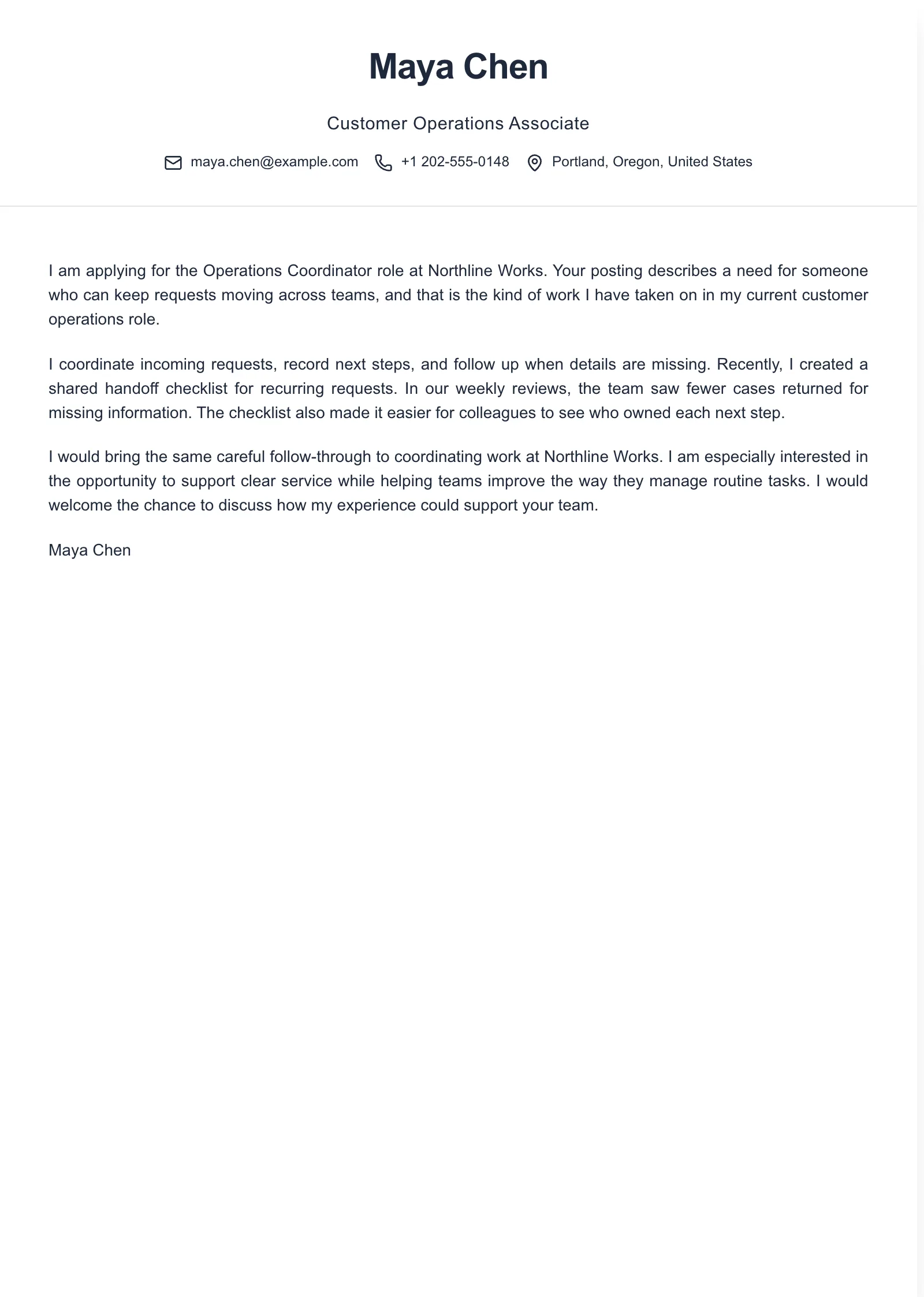
This fictional preview shows message content without postal details. Use it only when the field requests a cover letter, and adapt it to the displayed limit and instructions.
Example paragraphs
“I am applying for [Job Title] at [Company Name] because [specific detail from the posting or employer information] connects with my experience in [relevant area].”
“In [role, project, or other factual context], I [specific action] and [verifiable result or scope]. I could use that experience to support [task named in the posting] at [Company Name] as a [Job Title].”
“I am interested in bringing my experience with [relevant skill or responsibility] to the [Job Title] role at [Company Name]. I would welcome a conversation about how I could contribute to [specific team need or stated priority].”
Replace every bracketed phrase with a detail you can verify. Choose only the paragraph or paragraphs that fit the field and its limit; these are adaptable paragraphs, not a complete letter to paste as-is. For a narrow motivation prompt, use the specific reason and leave out extra closing language if space is tight.
Common mistakes in a cover letter text box
Pasting the full document header
- What goes wrong
- A postal address, date, recipient block, and formal layout use space without explaining why you fit the opening. They can also look out of place inside an application form.
- Better approach
- Paste the message itself. Include a greeting only when the field or employer asks for one, and use the available space for a specific reason and relevant evidence.
Assuming rich formatting will survive
- What goes wrong
- Bold text, columns, bullets, or copied styling may disappear or become difficult to read when a field accepts plain text.
- Better approach
- Use ordinary text and short paragraphs. Inspect the pasted result rather than trusting how it looked in your original document.
Filling the counter with repeated keywords
- What goes wrong
- Repeating terms from the posting takes space away from an example that could show how your experience relates to the role.
- Better approach
- Use the employer's wording only where it accurately describes your experience. Keep one strong connection and one concrete example, then trim repetition.
Answering the wrong field
- What goes wrong
- Pasting a general letter into a prompt for motivation, selection criteria, or another specific question may leave the requested answer unclear.
- Better approach
- Match each response to its field. Follow instructions for separate uploads or criteria statements instead of combining everything in the cover-letter box.
Frequently asked questions
- How long should a cover letter be in a text box?
- If the employer gives no limit, 150 to 250 words is a practical editorial target, not a platform rule. If the field shows a character limit, follow it and keep your most relevant reason and evidence.
- Should I paste my address and date into the text box?
- Usually not. A portal field is generally for the message, so leave out postal addresses, dates, and a document-style header unless the employer specifically asks for them.
- What if the text box changes my formatting?
- Prepare plain text with short paragraphs and no tables, columns, or decorative symbols. Check the field or its preview, if available, to make sure the paragraphs and punctuation are readable.
- What if the application has a character limit?
- Treat the displayed limit as a constraint, not a target to fill with repeated keywords. Keep your strongest role-specific reason and one factual example, then remove repeated or less relevant details.

Put this career change approach into practice
Choose sample data or build your own cover letter, then personalize it before you download.