
Introduction
A LinkedIn message to a recruiter is a short note about one role or a relevant professional connection, not a cover letter copied into a chat. State why you are contacting this person, add one accurate detail, and make it easy for them to respond without asking for special treatment.
This guide focuses on a role-specific note sent before or after applying. For broader recruiter outreach beyond a particular application, see the guide to messaging recruiters on LinkedIn. That guide and this one overlap in topic; here, the focus is the specific short message task.
What to address directly
Keep a follow-up separate from the application
- Hiring manager concern
- A note after applying can sound like an attempt to bypass instructions or demand an immediate update.
- What your letter should prove
- If you have applied, name the role and say so plainly. Add one relevant connection that is not just a restatement of “I applied.” Do not ask for a receipt confirmation if the application system already provides one, or imply that a direct message should change the process. LinkedIn supports Easy Apply and external applications, but documents and questions vary by posting. Check the posting's instructions and use the channel it specifies.
Give a verifiable reason for contacting this person
- Hiring manager concern
- A generic compliment or copied note may not explain why you chose this recruiter.
- What your letter should prove
- Use a detail you can verify, such as the role title, a responsibility in the posting, or a relevant part of your own experience. Do not assume someone is handling a search just because their title suggests it. If you are unsure, ask whether they are the right contact rather than claiming they own the role.
Use the message option that is actually available
- Hiring manager concern
- An invitation note and a longer message are not interchangeable, and not every account or situation shows the same options.
- What your letter should prove
- For an invitation, lead with why you want to connect and remove background the recipient can find on your profile. Follow the character counter shown for your account instead of relying on an old or assumed limit. If an InMail or another longer-message option is available, keep it focused too. Do not assume LinkedIn provides a cover-letter field or attachments for every application.
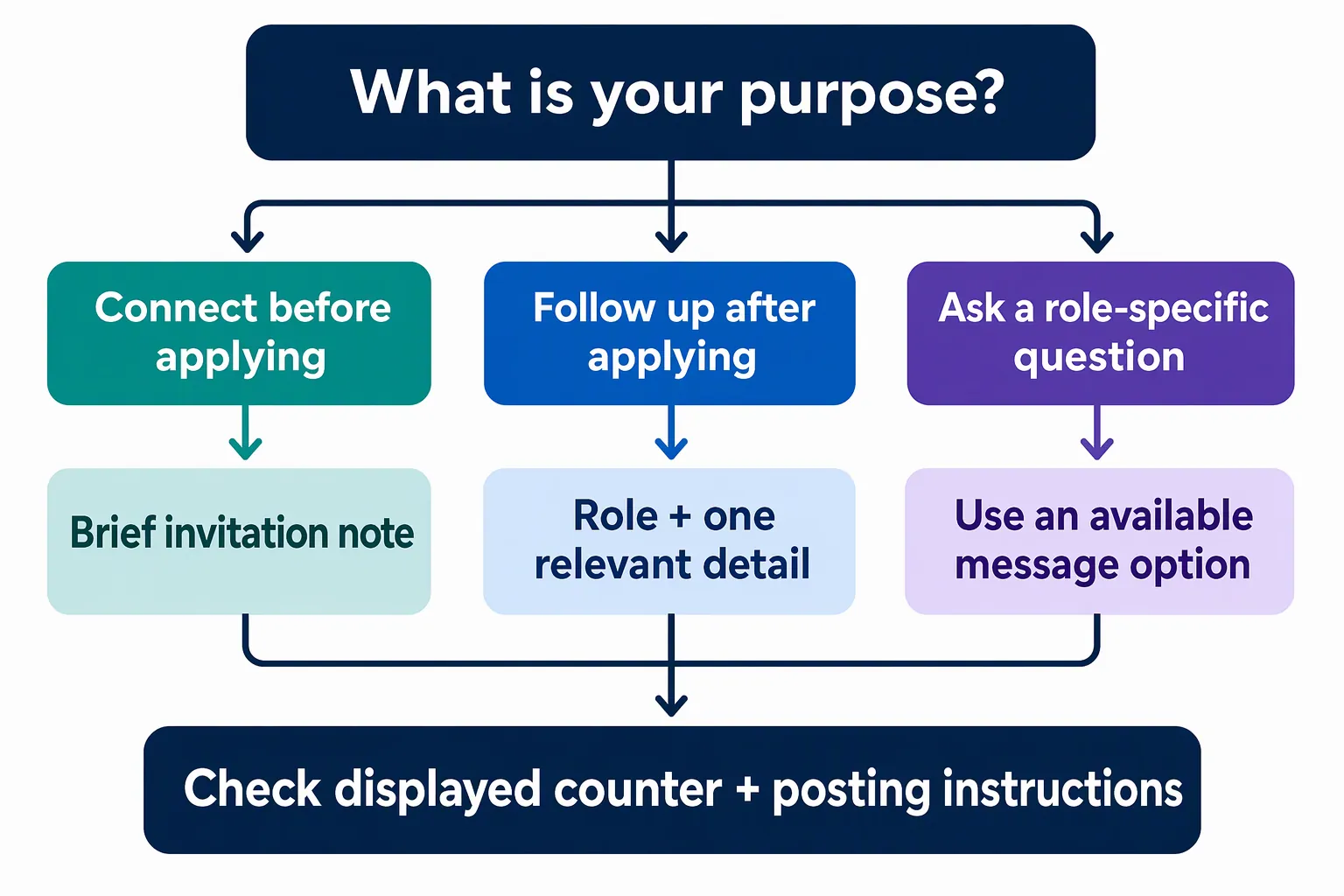
Structural approach: Make one clear point
Build the note so the recipient can identify the opportunity, understand why you are contacting them, and see what response would help. Keep one purpose per message. It should still make sense if the recipient reads it without your resume open.
- 01
Choose the purpose
Decide whether you are requesting a connection, following up after applying, or asking a question before applying. Keep to one purpose. If you have applied, say so; if you have not, do not suggest that you have.
- 02
Identify the role
Use the job title and company name from the posting. For an invitation, include only enough context to explain why you want to connect. Avoid an unclear opening such as “I am interested in opportunities” when you mean one specific position.
- 03
Add one relevant detail
Connect one responsibility in the posting to a concrete part of your experience, work, or preparation. Keep the claim accurate and narrow. A focused connection is more useful than a skill list, generic praise, or a claim that you are a perfect fit.
- 04
Make a modest request and review
Ask for a pointer to the right contact, an answer to one useful question, or a brief conversation when appropriate. Do not demand an interview or an immediate status update. Check the recipient, role, company, and displayed character counter before sending. Democruit's builder prepares editable text; review it and send the message yourself through LinkedIn.
A concise message after applying
This fictional example refers to a submitted application and gives one relevant connection without pasting a cover letter or asking for a decision.
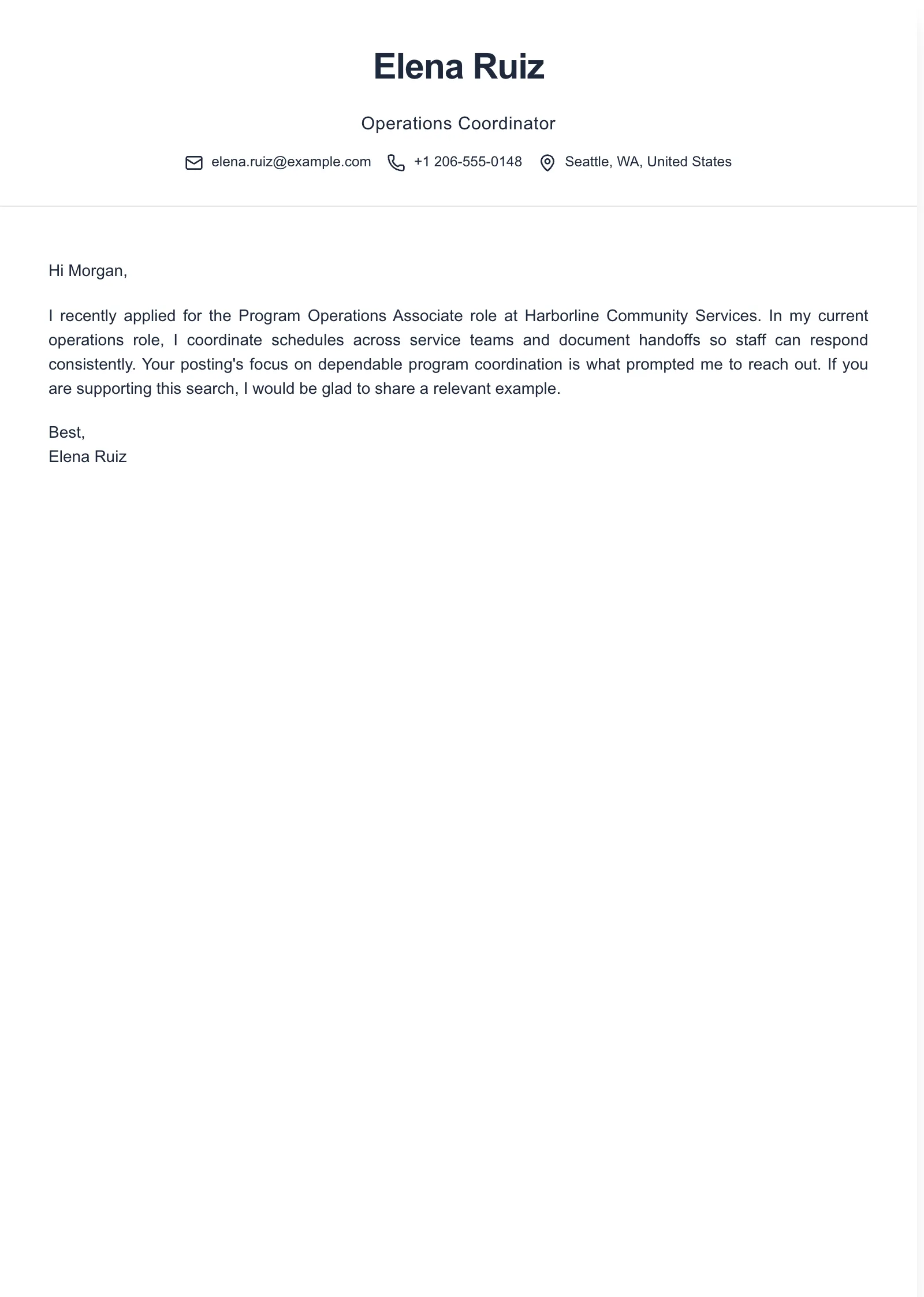
Example paragraphs
“Hi [Recruiter Name], I’m considering the [Job Title] role at [Company Name]. My experience with [specific relevant responsibility] connects to the posting’s focus on [specific requirement]. If you’re the right contact, I’d welcome connecting. [Your Name]”
“Hi [Recruiter Name], I applied for [Job Title] at [Company Name]. I’ve worked on [specific relevant responsibility], which relates to the role’s focus on [posting detail]. If you’re supporting this search, I’d be glad to share a relevant example. [Your Name]”
“Hello [Recruiter Name], I recently applied for [Job Title] at [Company Name]. The posting’s focus on [specific responsibility] caught my attention because I have [factual example of related work or preparation]. I wanted to introduce myself and ask whether you are the right contact for this search. [Your Name]”
Adapt the wording to what is true for you and to the space shown in the current LinkedIn option. An invitation may need a tighter edit than a longer message. Keep the role, company, and evidence specific, and remove sentences that merely repeat your resume. These are short message examples, not full cover letters or claims to copy regardless of your experience.
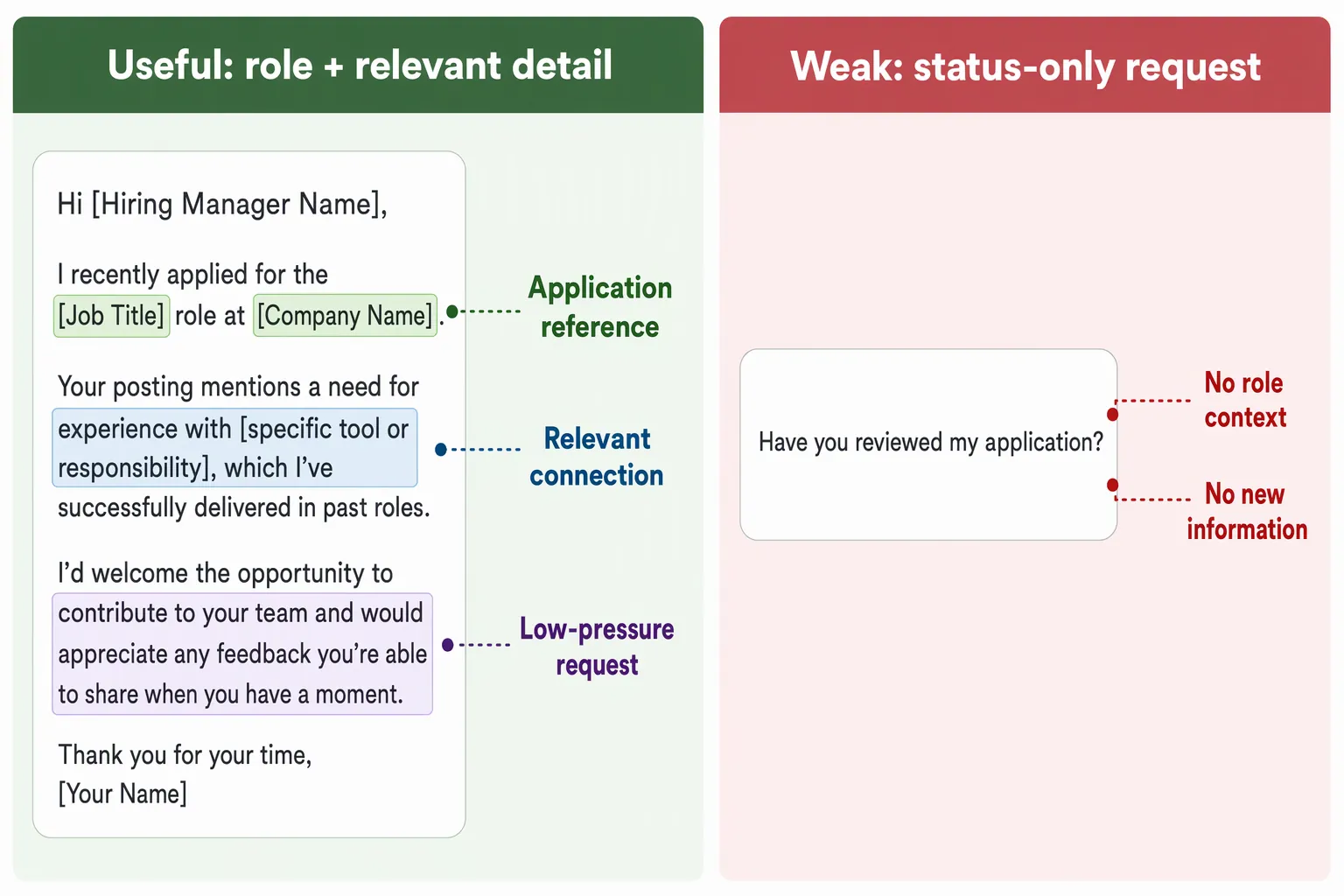
Scenario-specific mistakes in a LinkedIn recruiter message
Pasting a full cover letter
- What goes wrong
- A long formal letter can bury the reason for contacting the recruiter and may not suit the message option.
- Better approach
- Use a short introduction, one relevant detail, and one modest request. Provide application documents through the channel and in the format the posting requests.
Assuming every invitation has the same limit
- What goes wrong
- Relying on a remembered character limit can leave a note too long or encourage unnecessary cutting.
- Better approach
- Check the counter shown for your account and edit to fit it. Do not treat a particular number, including 300 characters, as a universal current limit.
Sending a status-only follow-up
- What goes wrong
- A message that only asks whether someone reviewed your application gives no context and can sound like a demand for an update.
- Better approach
- If there is a useful reason to contact them, name the role and add one truthful connection to the posting. Ask a practical question only when you have one.
Using an unverified claim or recipient detail
- What goes wrong
- A copied compliment, unsupported claim of fit, or incorrect name can make a short note seem careless.
- Better approach
- Check the recipient and posting before each message. Personalize one accurate detail, and do not claim the person is handling the search unless you can verify it.
Frequently asked questions
- Should I message a recruiter after I apply on LinkedIn?
- You can send a brief note if you have a relevant reason to contact them, such as connecting your experience to a detail in the posting. Mention that you applied, then add one useful point. Do not treat the message as a substitute for the application or assume it will speed up a decision.
- How long should a LinkedIn message to a recruiter be?
- For an invitation note, follow the character counter shown for your account. For a longer message option, include only enough to identify the role, explain why you are reaching out, and make a modest request. Available options and limits can change, so check what LinkedIn shows you.
- What should I write if I have not applied yet?
- Name the role and company, connect one relevant part of your background to the posting or ask one specific question, and make your purpose clear. Follow the posting's application instructions first. A LinkedIn note does not replace a requested application.
- Should I send my cover letter in a LinkedIn message?
- Usually, write a short note for the message channel instead of pasting a full cover letter. The application may have its own requested documents or questions, and LinkedIn application details vary by posting. Use the channel and documents the posting asks for.

Put this career change approach into practice
Choose sample data or build your own cover letter, then personalize it before you download.