
Introduction
LinkedIn Easy Apply does not use one fixed cover-letter format. A posting may request a letter, provide a text field or upload, ask questions, or offer no cover-letter option. Check the specific posting and application form before deciding what to send. LinkedIn says that application questions and attachments can vary by posting and route: review LinkedIn's application guidance.
The useful question is whether this application gives you a place to add a letter and whether a tailored explanation would add context. Keep a text response focused, use an attachment when the instructions call for one, and treat recruiter outreach as a separate, optional step.
What to address directly
The form may not offer a cover-letter field
- Hiring manager concern
- It is easy to prepare a letter expecting a dedicated place to submit it. The fields can differ between applications, and an application may continue on an employer's website.
- What your letter should prove
- Read the posting and follow the fields and document instructions shown in the application route you are using. Do not assume a letter is required or look for a hidden upload. If the application continues on an employer site, follow that site's instructions.
A text field and an attachment serve different purposes
- Hiring manager concern
- A long letter pasted into a text field may not suit the form. An attachment can also be unnecessary when the posting asks for a short response instead.
- What your letter should prove
- Use a text field for a concise explanation of your fit. Use a complete document when a letter is requested as an attachment. If both options appear, follow the instructions for each and avoid repeating the same text.
A recruiter message is separate from the application
- Hiring manager concern
- Seeing a recruiter's name can make it tempting to send the whole letter by message or treat outreach as a substitute for applying.
- What your letter should prove
- Submit through the route in the posting first. If a relevant recruiter is identified and a brief note is appropriate, refer to the role and your application, then add one useful detail. Do not ask the recruiter to skip the stated process.
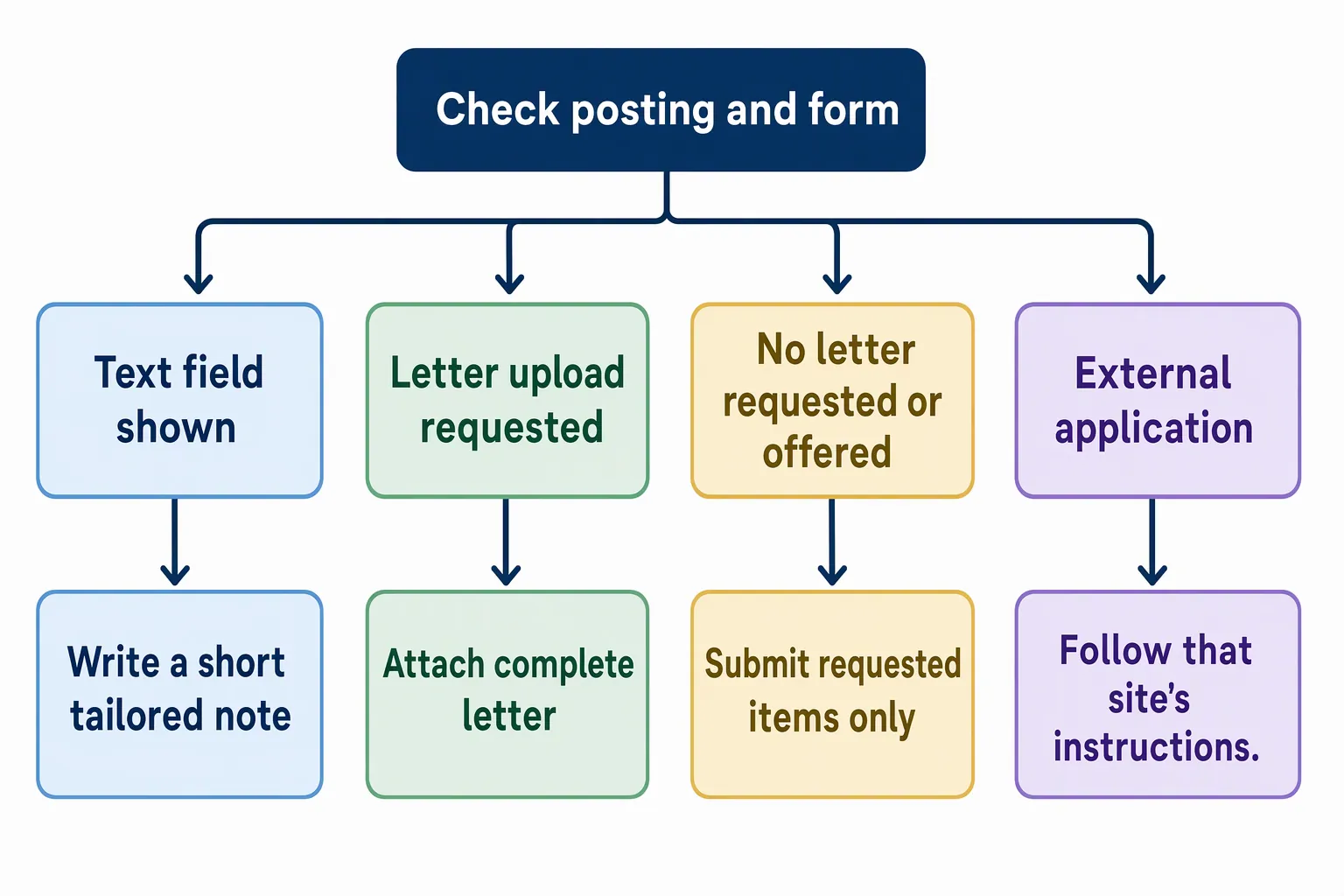
Structural approach for LinkedIn Easy Apply
Check the posting first, then inspect the application form. The posting tells you what the employer requests; the form shows what this application route accepts. Neither a LinkedIn profile nor an Easy Apply button guarantees a cover-letter field. If the application continues on an employer's website, use the instructions there.
For the general sequence, see cover letter structure. On LinkedIn, adapt that structure to the field available. A short text response should make one clear case for your fit, rather than reproduce every paragraph of a longer letter.
- 01
Read the posting before opening the form
Check whether a cover letter is required, optional, or not mentioned. Note any requested documents, application questions, or directions about how to apply. Follow those instructions rather than assuming all LinkedIn applications work the same way.
- 02
Match your response to the field
If there is a text field, name the [Job Title] and [Company Name], give a specific reason for your interest, and connect it to one relevant fact. Keep the response focused and readable. Follow any instructions or limit displayed in the form; do not assume a universal character limit.
- 03
Prepare an attachment only when it fits the request
If the form requests an uploaded letter, provide a complete, tailored document with clear paragraphs and your name. Make sure its claims match your resume and profile. If the form offers both a text field and an upload, use each only as instructed and avoid submitting duplicate material. Check the selected file before sending.
- 04
Decide separately whether to contact a recruiter
A visible name does not make a message compulsory. If a relevant recruiter is identified and a brief follow-up is appropriate, send it after applying. Refer to the role and application, then add a point that is useful rather than repeating your letter. See how to message recruiters on LinkedIn for further outreach guidance.
LinkedIn Easy Apply cover letter example
This fictional example shows a complete, tailored letter for use as an attachment when a posting requests one.
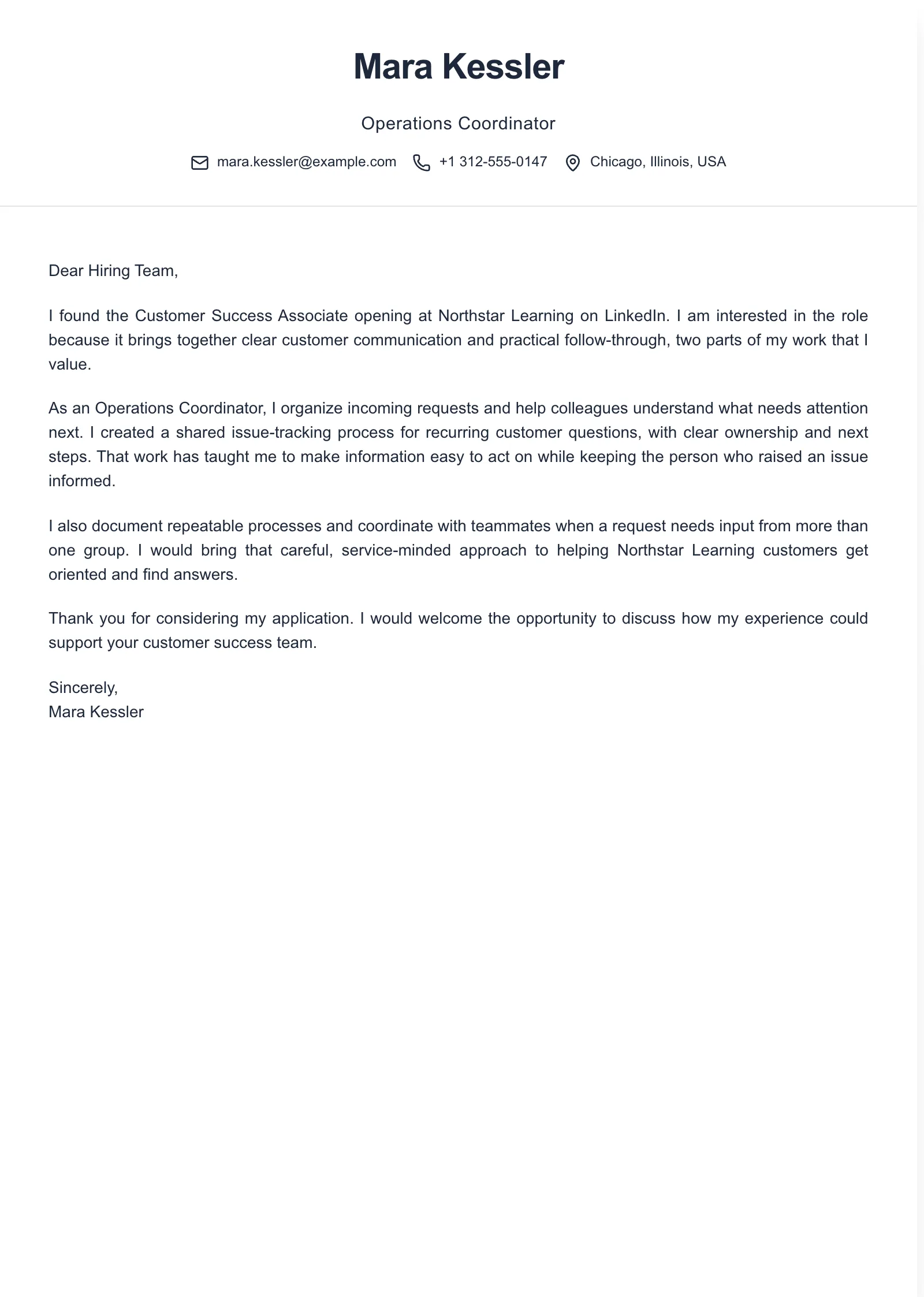
Example paragraphs
“I am applying for the [Job Title] role at [Company Name] because [specific feature of the posting or organization] connects with my experience in [relevant area]. In [brief factual example], I [action you took], which prepared me to contribute to [specific need named in the posting].”
“In [current or recent role], I handled [relevant task] by [specific action or approach]. The result was [verifiable outcome, scope, or feedback]. This experience connects to [requirement from the posting] because [specific reason].”
“I would welcome the opportunity to discuss how my experience with [relevant skill or task] could support [Company Name] in the [Job Title] role. Thank you for considering my application.”
Use these as separate building blocks, not as a complete letter to paste unchanged. Replace every bracket with a true, specific detail. For a text field, choose a focused opening and relevant evidence. For an attachment, connect the paragraphs into a complete letter. Keep any recruiter message shorter and distinct from either format.
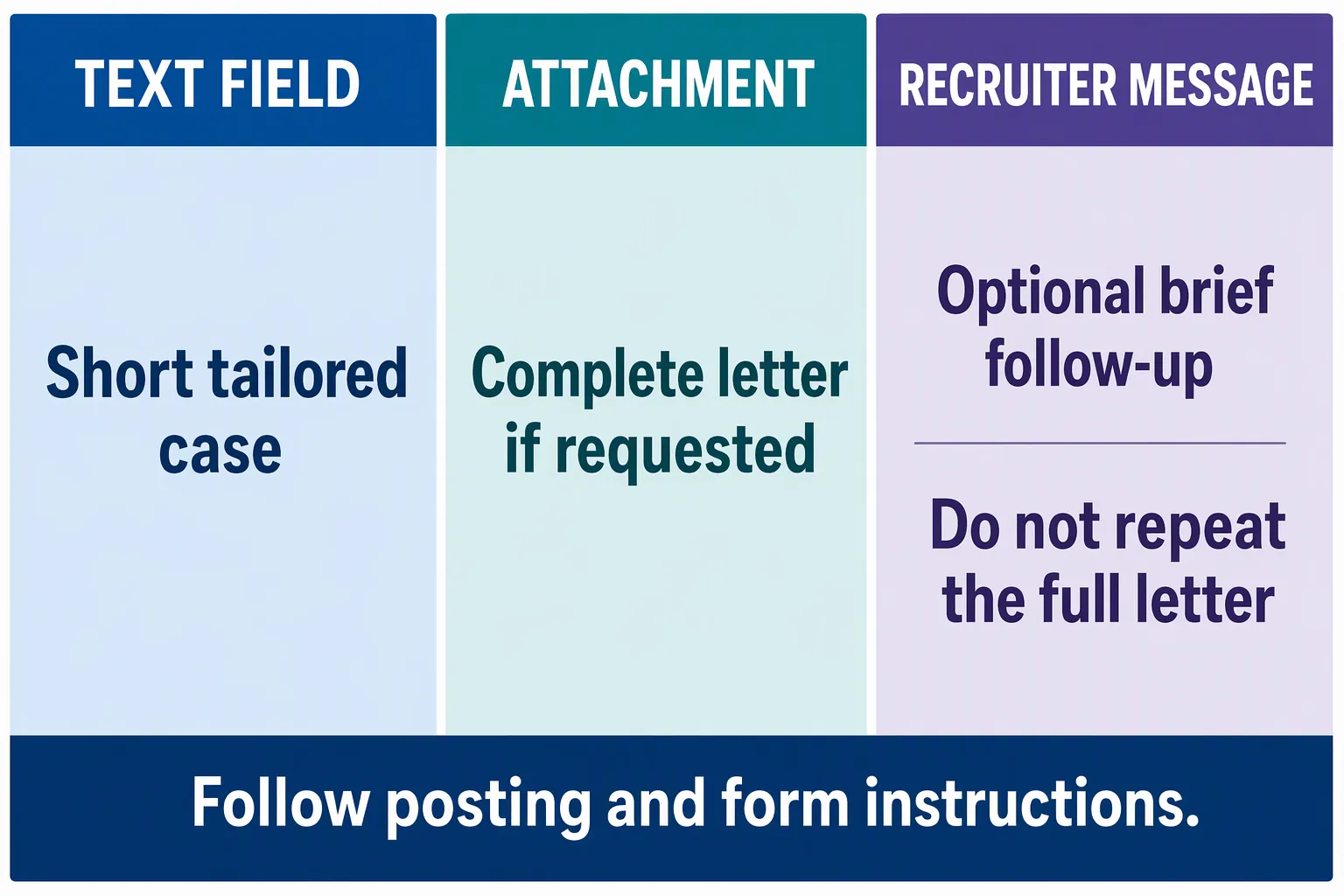
Scenario-specific mistakes with LinkedIn Easy Apply cover letters
Assuming every application has the same fields
- What goes wrong
- Preparing a specific upload or text response before checking the live form can lead to the wrong format or wasted effort.
- Better approach
- Read the posting and inspect the form for that application. Adapt to its available fields, including an external application route.
Pasting a full letter into a short field
- What goes wrong
- A long response may be hard to scan or conflict with the form's instructions or displayed limit.
- Better approach
- Make a focused version with the role, a tailored reason, and one relevant fact. Follow the instructions and limit shown rather than guessing a universal limit.
Submitting the same letter twice
- What goes wrong
- Repeating identical text in a field, an attachment, and a recruiter message adds no new context.
- Better approach
- Follow the form's instructions. If two formats are available, use them for distinct purposes. Keep any separate outreach brief and useful.
Treating a recruiter message as a substitute for applying
- What goes wrong
- A direct note may not count as an application and may ask the recruiter to repeat the stated process.
- Better approach
- Apply through the route in the posting first. If appropriate, message a relevant recruiter with a brief reference to the role and your application.
Frequently asked questions
- Should I add a cover letter to every LinkedIn Easy Apply application?
- No. Check the posting and the application form. If a cover letter is required, provide it in the requested format. If it is optional, add one only if you can give useful, tailored context. The available fields can vary between applications.
- What should I put in a LinkedIn cover-letter text field?
- If the form provides a text field, write a short, tailored case: identify the role, give a specific reason for your interest, and connect it to one relevant fact about your experience. Follow the form's instructions and any displayed limit.
- Should I upload a cover letter if I already used the text field?
- Follow the posting and form instructions. Upload a separate letter if it is requested or if the form clearly offers an optional upload that would add value. Avoid submitting the same text twice, and check that the selected file is the one you intend to submit.
- Can I message a recruiter after applying on LinkedIn?
- If a relevant recruiter is identified and a message is appropriate, you can send a brief note after applying. Mention the role and one useful point about your fit. Keep the message separate from the letter, and do not ask the recruiter to bypass the application process.

Put this career change approach into practice
Choose sample data or build your own cover letter, then personalize it before you download.