
Introduction
A cover letter for an online application has two jobs: connect your evidence to the opening and arrive in the place the company requested. A company careers page may offer a document upload, a text box, both options, or no letter field. Follow the posting and form for that opening rather than assuming they work like another application.
Before submitting, confirm the exact job title and any posting ID, prepare the letter in the requested format, and inspect what the application actually shows. These checks help you complete the cover-letter part of a company-site application without treating every careers page as identical.
What to address directly
The form may not offer a cover letter field
- Hiring manager concern
- The application may provide an upload, a text box, both, or no place to submit a letter. Options can vary between openings, even on the same company site.
- What your letter should prove
- Read the posting and the labels in the application form. Use a field designated for a cover letter and follow the stated instructions. If no letter is requested, do not place it in a resume or unrelated upload field unless the employer tells you to.
The application must match the right opening
- Hiring manager concern
- A company may list similar titles, locations, or openings at different levels. A reused letter can retain a title or job ID from a different application.
- What your letter should prove
- Compare the title and any job ID in your letter with the current posting and form. If there is no ID, use the exact title and, when relevant, location to check that you have the intended opening.
The submitted version may look different
- Hiring manager concern
- Pasted text can lose paragraph breaks, and an uploaded file may not display as expected. The original document alone cannot confirm what the application received.
- What your letter should prove
- If the form displays a preview, check that the content is complete and readable. If it shows entered text or an attached file, confirm it is the right version. Correct visible problems before submitting.
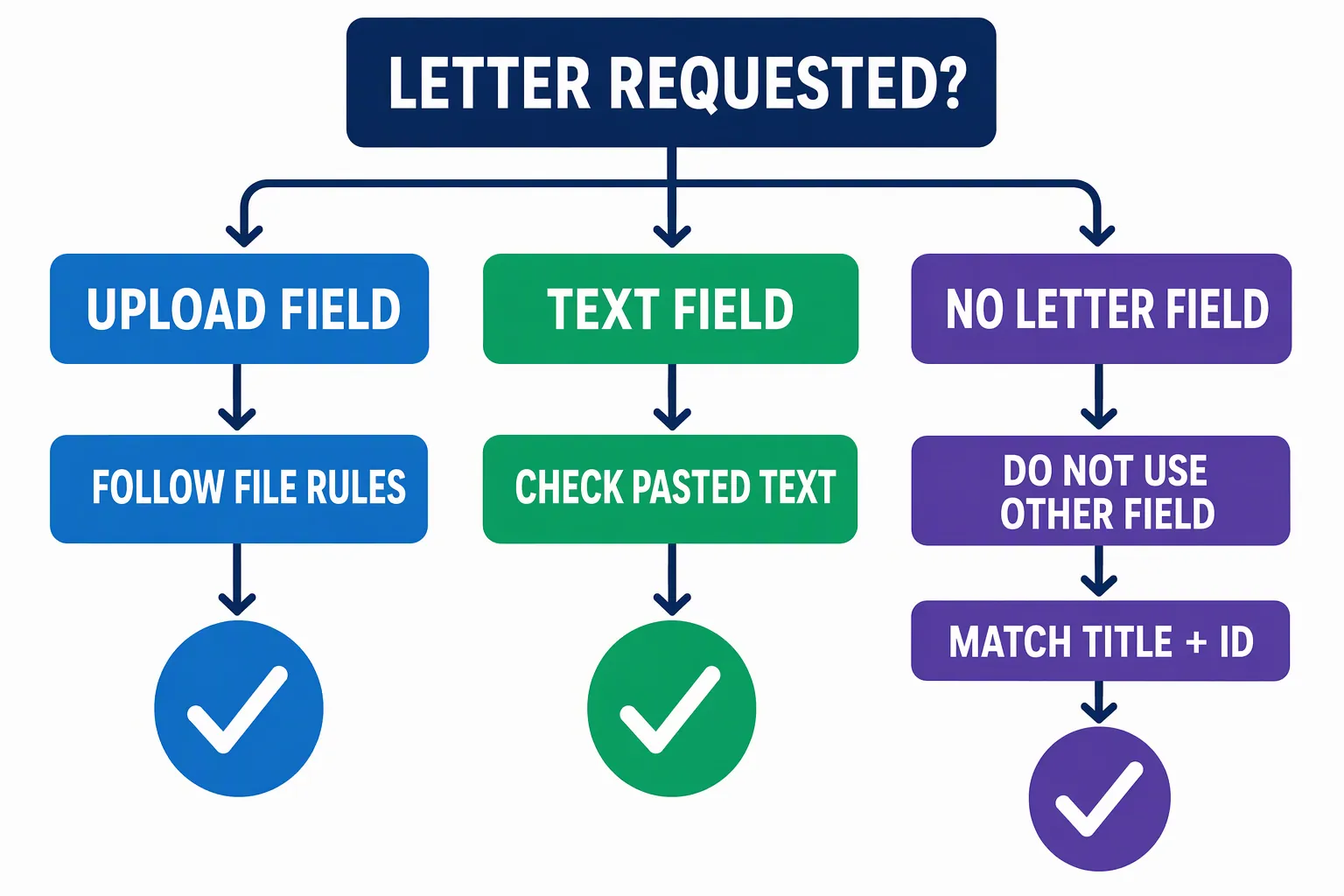
Structural approach for a company careers page
Build the letter around the opening, not around the mechanics of the website. Identify the exact role and, if useful, its posting ID. Connect relevant evidence from your experience to a responsibility in the posting, then close with a concise expression of interest. For the parts of a letter, see the cover letter structure guide.
The form determines how to submit the letter; the posting determines what to address. Keep the content focused on why your evidence fits this opening. A filename can help identify the document, but it does not replace checking the role reference inside the letter or following the form's instructions.
- 01
Confirm the exact opening
Open the role from the company careers page and compare its title and location with the application form. Note the job ID if one is shown. If you followed a link to the form, check that it still refers to the same opening.
- 02
Find the letter instructions
Check whether the posting or form requests a letter and whether there is an upload, text box, or other designated option. Follow any stated file type or content instructions. If a text box shows a character limit, stay within it.
- 03
Prepare the version the form accepts
For an upload, use an accepted file type and a clear filename such as [Name]-Cover-Letter-[JobID]. If there is no ID, you can use the role instead. For a text box, paste readable paragraphs and check that formatting has not obscured the content. If both options appear, do not send duplicate versions unless requested.
- 04
Check before submitting
Compare the letter with the posting and form one last time. Confirm the company name, role, job ID if present, and contact details. Inspect a preview or displayed text when available, and check any attachment or confirmation the form shows before completing the application.
Company careers page application example
This fictional example shows a letter tailored to a company careers page opening, with the role and job ID identified. The complete-template preview and builder action are provided here.
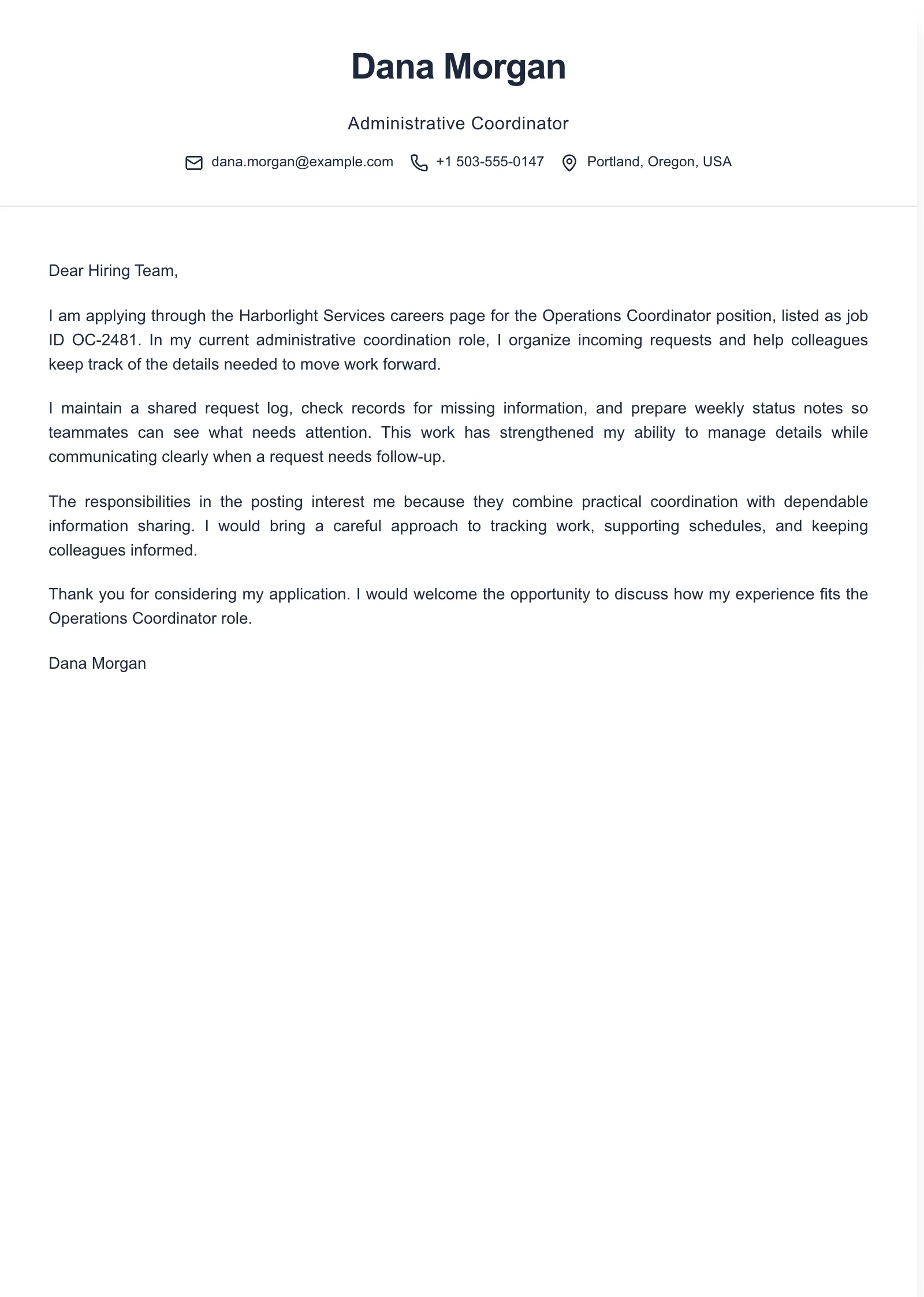
Example paragraphs
“I am applying for the [Job Title] position at [Company Name], listed as [Job ID]. My experience with [relevant responsibility] has prepared me to contribute to [specific need from the posting].”
“In my work on [specific task or project], I [action you personally took] and [verifiable result or outcome]. I would bring that experience and my [relevant skill] to the [Job Title] role at [Company Name].”
“I am interested in supporting [Company Name] with [specific responsibility from the posting]. I would welcome the opportunity to discuss how my experience with [relevant evidence] fits the [Job Title] opening, [Job ID].”
Use these paragraphs as adaptable parts, not claims to copy. Replace each bracket with a fact you can support and a detail from the actual posting. Check whether the form already collects your contact information or identifies the opening before repeating those details in the letter.
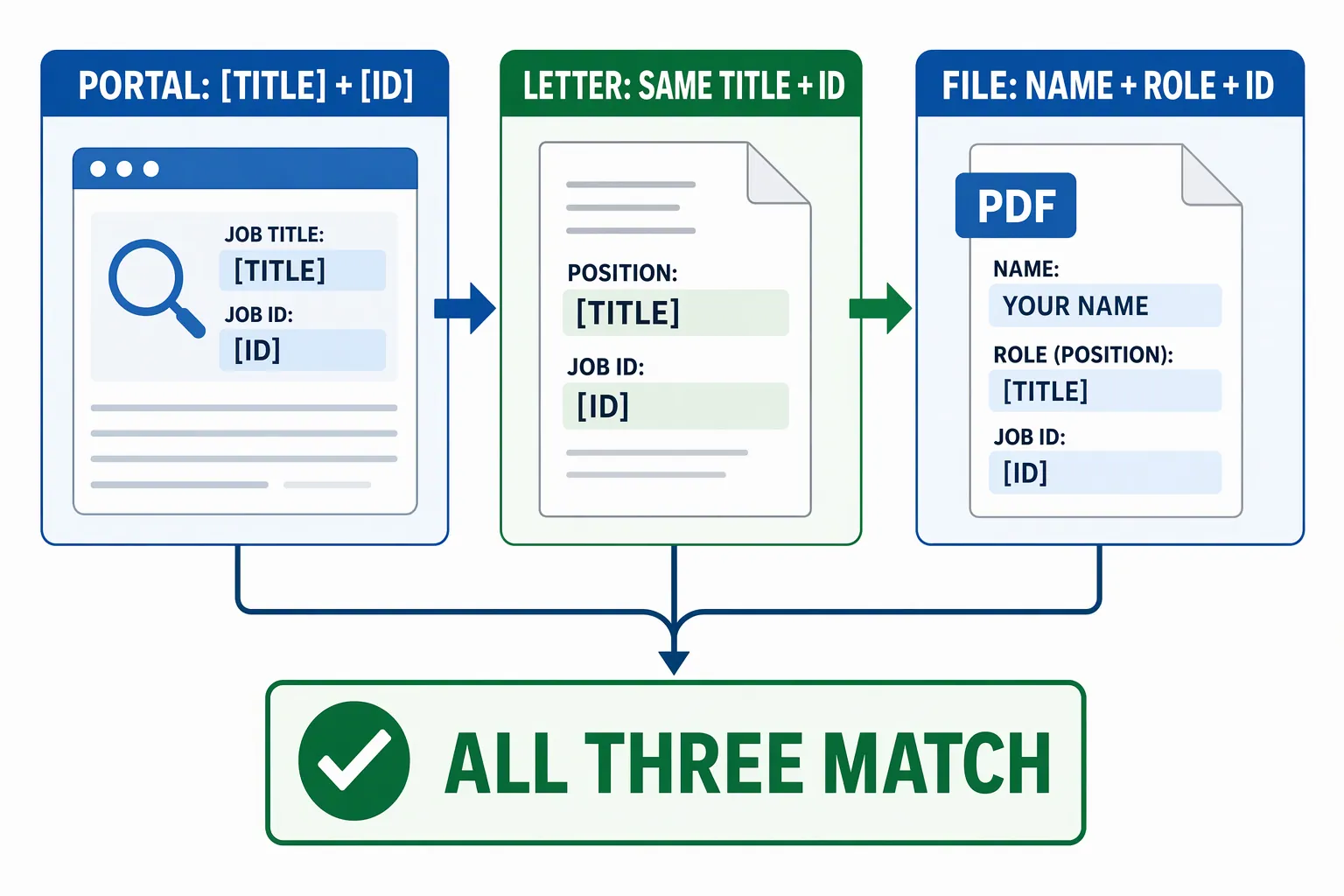
Common mistakes with online application letters
Using the wrong job title or ID
- What goes wrong
- A reused letter may keep the title or reference number from another application, particularly when a company lists similar openings.
- Better approach
- Check the current posting and form before submitting. Update every occurrence in the letter and filename, then inspect the submitted version when it is displayed.
Submitting the letter in the wrong field
- What goes wrong
- Putting a cover letter in a resume field or another unrelated upload slot can leave the requested document missing.
- Better approach
- Use a field designated for cover letters or a document slot the employer identifies for that purpose. Do not repurpose another field without clear instructions.
Checking only the original file
- What goes wrong
- The application may show a different file or pasted text than the version you intended to submit. Paragraph breaks or content may also be missing.
- Better approach
- Inspect the portal's displayed file or text when available. Confirm it is complete, readable, and the right version before moving on.
Reusing a generic letter unchanged
- What goes wrong
- Changing only the company name can leave the wrong role, ID, or evidence in a letter submitted for a different opening.
- Better approach
- Update the role reference and connect your evidence to responsibilities in this posting. Keep reusable wording only when it remains accurate and relevant.
Frequently asked questions
- Should I upload a cover letter if the careers page does not ask for one?
- Follow the posting and form instructions. If they do not request a cover letter or provide a designated place for one, do not put it in an unrelated field unless the employer specifically directs you to do so.
- What should I name my cover letter file?
- A clear name such as [Name]-Cover-Letter-[JobID] can help you identify the file. Follow any employer naming instructions, include the role instead if there is no job ID, and use a file type the form accepts.
- Should I paste the letter into a text box or upload a file?
- Use the option the form requests. If both options are available, choose one unless the employer asks for both. Check pasted text for missing paragraph breaks, and inspect an uploaded file if the application shows it.
- Should I include the job ID in my cover letter?
- If the posting provides an ID, including it can help identify the opening. Check that the ID and job title match the posting and application form, especially when the company lists similar roles.

Put this career change approach into practice
Choose sample data or build your own cover letter, then personalize it before you download.