
Introduction
An Indeed application may offer a place to add a cover letter or other documents, but the available options are not guaranteed for every posting. Read the job instructions, then use the fields actually shown for that application.
Indeed's application guidance says applicants may be able to add a cover letter or other documents. This guide focuses on that decision, a practical short draft, and how to avoid treating a saved copy, an upload field, or a writing tool as a universal Indeed feature.
What to address directly
The letter field may be optional or absent
- Hiring manager concern
- You may be unsure whether to prepare a letter when the posting does not clearly ask for one.
- What your letter should prove
- Check the posting and the instructions or fields presented during the application. If a letter is requested, prepare one that addresses the role. If it is optional, include it only when it adds relevant context your resume does not. If no appropriate field is available, do not put the letter in an unrelated upload slot.
A private draft is not a guaranteed Indeed feature
- Hiring manager concern
- A reusable draft can save time, but that does not mean the application will retain it or offer it again.
- What your letter should prove
- Keep a base draft in a document you control. Before applying, update the employer, role, and evidence to fit that posting. Do not rely on a saved-letter feature being available; check the application fields each time.
Short should still mean specific
- Hiring manager concern
- A brief letter can become generic or repeat the resume without explaining why the experience matters for this job.
- What your letter should prove
- Use a posting detail to explain your interest and add one verifiable example that relates to it. A few compact paragraphs can be enough. The goal is useful context, not a particular character count or a shorter copy of your entire work history.
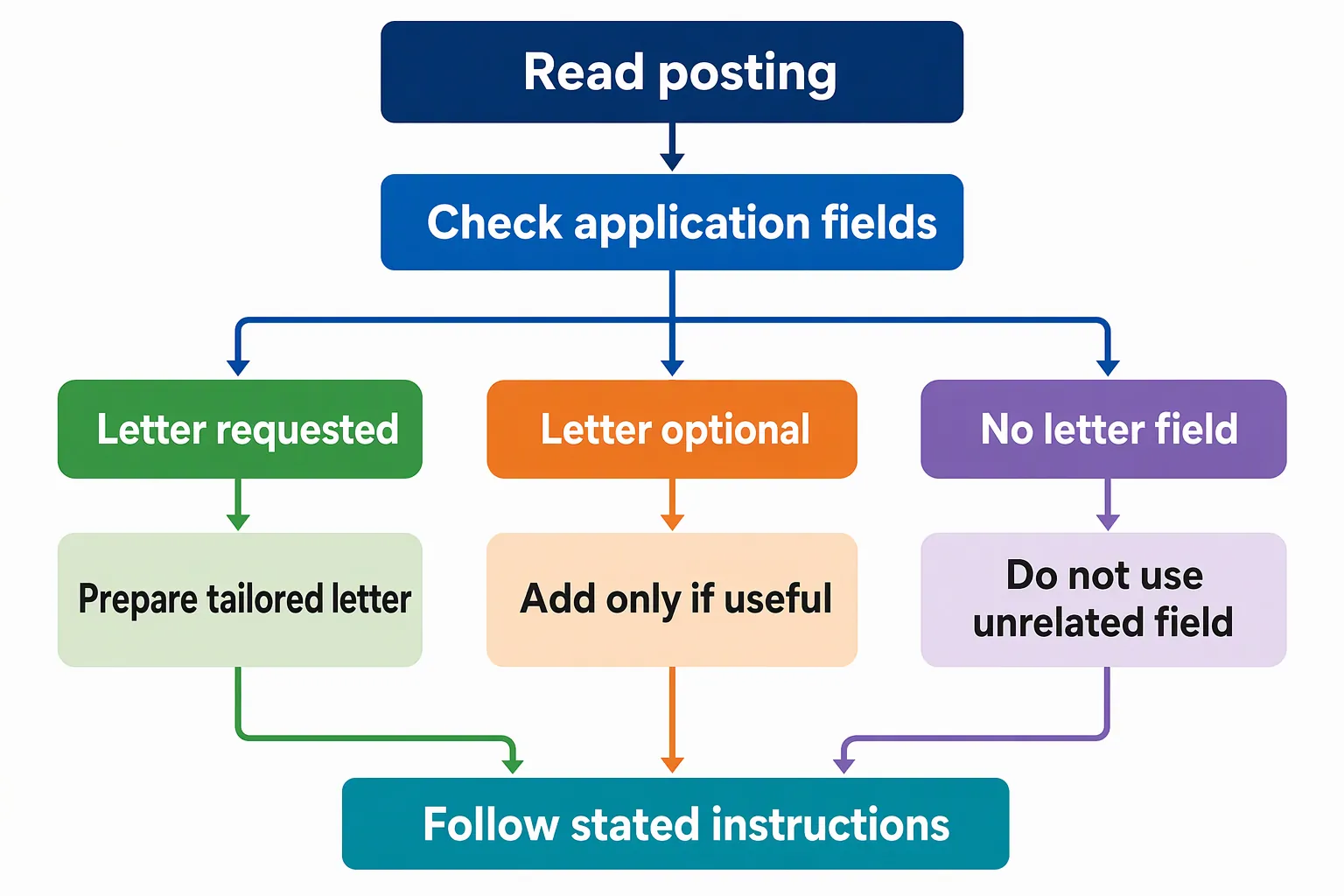
Structural approach for an Indeed application
For an Indeed application, decide what to write after checking what the posting asks you to submit. If a letter is requested, make it a clear standalone document. If the application asks specific questions, answer them in their designated fields rather than assuming the letter replaces them. For general paragraph roles, see this guide to cover letter structure.
Draft a short version that connects one stated job priority to one example you can support. Around 150 to 200 words is a practical editorial target, not an Indeed limit or a universal requirement. Keep a longer draft if the posting asks for additional information, and follow its instructions.
- 01
Read the posting for its actual requests
Note the role title, the employer's stated priorities, and any requested documents or application questions. Choose one or two priorities you can support with real experience. Copy the employer and role names carefully; do not guess if either is unclear.
- 02
Check the fields shown for this application
Look for the instructions and document fields presented for this specific application. If a letter is requested, prepare one. If it is optional, decide whether it adds useful context. If there is no suitable field, do not put the letter in an unrelated one.
- 03
Connect one job priority to one example
Open with the role and a specific reason for applying. Use one concise example to show how your experience relates to a stated priority, then close politely. Keep any required application answers separate from the letter.
- 04
Review what you are about to submit
Check the employer, role, contact details, and every claim. If you prepare a file, open the final version and confirm its text is readable. Before submitting, review the displayed instructions and document fields; do not assume a draft or attachment has carried over from another application.
A concise letter for an Indeed application
This fictional template example connects a posting-specific reason to relevant experience without repeating a full resume.
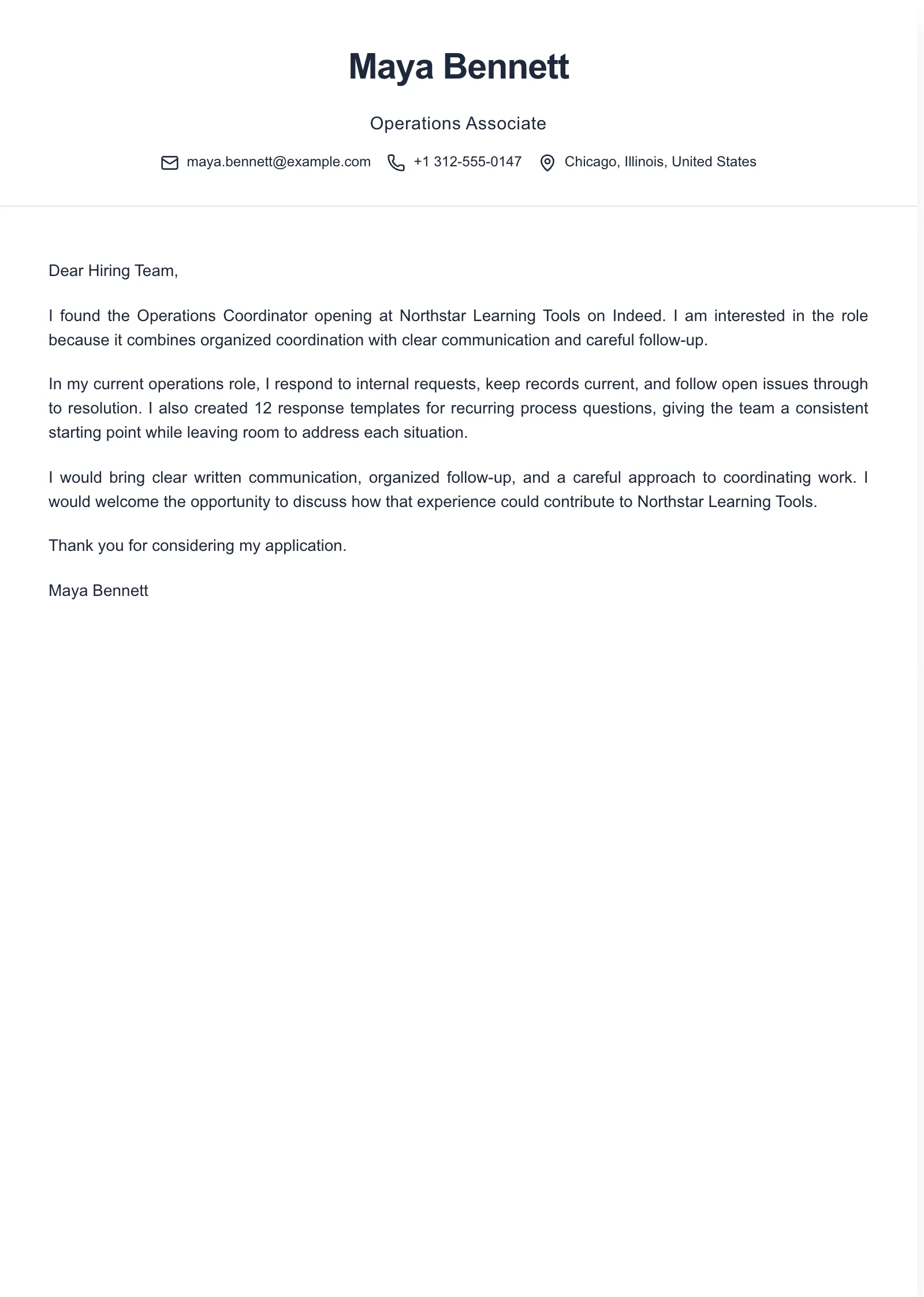
Example paragraphs
“I am applying for the [Job Title] position at [Company Name] because [specific detail from the posting] connects with my experience in [relevant area]. I can bring experience with [priority named in the posting].”
“In my [current or most recent role], I [specific action], which led to [verifiable result]. That experience relates to [task or priority named in the posting] at [Company Name].”
“I would welcome the opportunity to discuss how my experience with [relevant skill or responsibility] could support [Company Name]'s work on [specific priority]. Thank you for considering my application for the [Job Title] role.”
These are separate paragraph options, not a complete letter. Use only details you can verify, and choose the example that responds most directly to the posting. For a short version, remove sentences that repeat your resume or add no useful context. For more ways to make an opening specific, see cover letter opening examples.
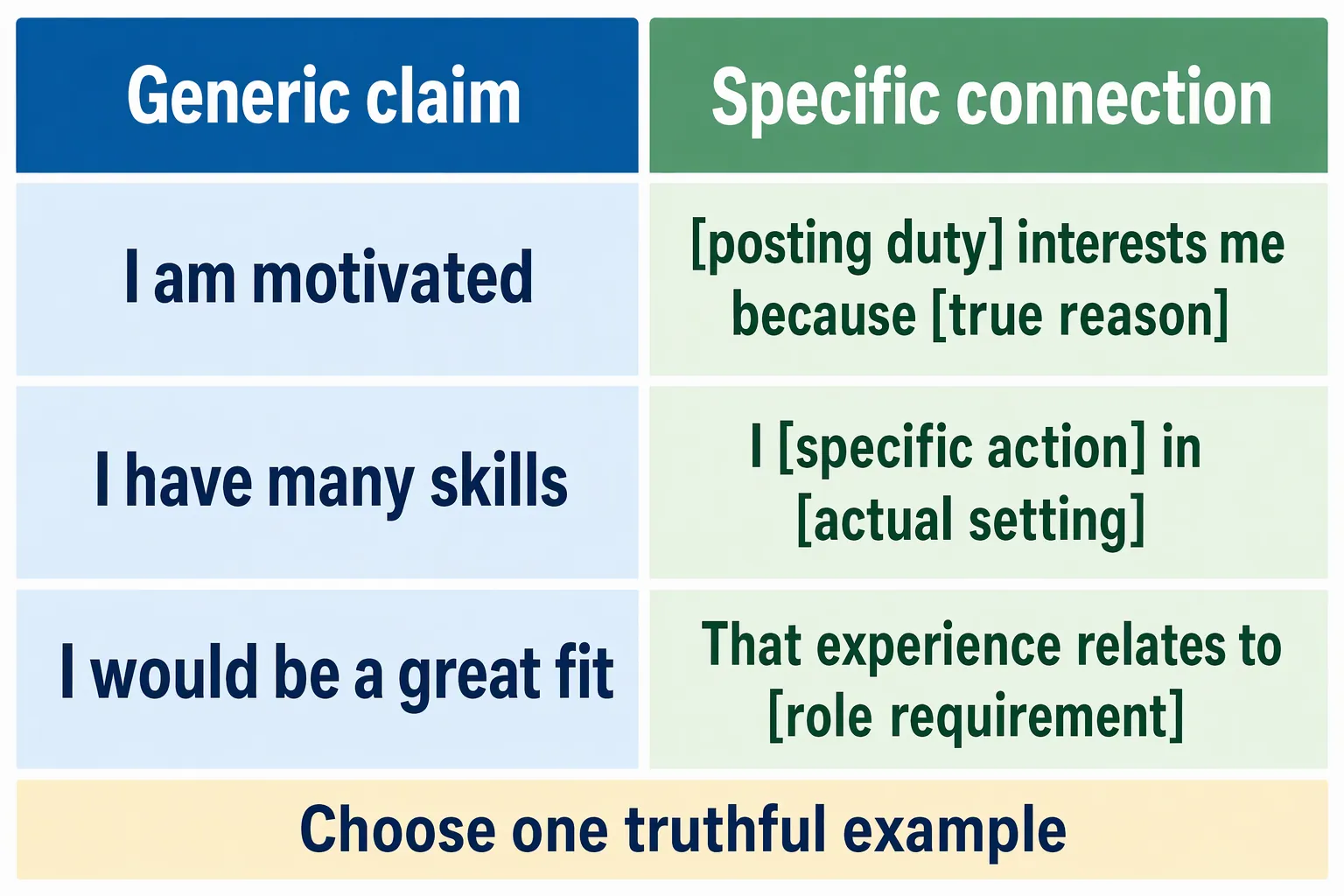
Common mistakes when applying through Indeed
Assuming every posting offers a letter field
- What goes wrong
- You prepare a letter but cannot find an appropriate place to add it, or assume it was attached automatically.
- Better approach
- Check the instructions and fields shown for this application. Submit a letter only through an appropriate field or the process the employer requests.
Treating a base draft as ready to send
- What goes wrong
- The letter names the wrong employer, refers to another role, or keeps evidence that does not fit this posting.
- Better approach
- Use a private draft as a starting point, then update and proofread the employer, role, reason for applying, and example each time.
Making the short version generic
- What goes wrong
- The letter says you are interested or a strong fit but gives no reason tied to the posting.
- Better approach
- Include one concrete detail from the posting and one relevant example. Remove broad claims that do not help explain your fit.
Repeating the resume or missing requested answers
- What goes wrong
- The letter retells several resume entries while an application question or requested document remains unanswered.
- Better approach
- Let the resume carry the work history. Use the letter to connect a small amount of evidence to the role, and answer required questions or provide requested documents separately.
Frequently asked questions
- Does every Indeed application have a cover letter field?
- No. Indeed says applicants may be able to add a cover letter or other documents. Check the instructions and fields for the specific application rather than assuming a letter field is available.
- Can I save a cover letter on Indeed and reuse it?
- Do not assume a reusable saved-letter feature will be available for every application. Indeed's guidance does not establish that. Keep a base draft somewhere you control, tailor it to each posting, and check the fields shown when you apply.
- Does Indeed have a cover letter builder?
- The Indeed guidance referenced here explains that applicants may be able to add a cover letter or other documents; it does not establish that a writing tool is available to every applicant. You can prepare a draft separately and use a template or builder if helpful, then follow the specific application's instructions.
- How long should a cover letter for Indeed be?
- There is no single length for every application. Around 150 to 200 words can be a practical drafting target for a short letter, not an Indeed limit or a universal requirement. Follow any instructions in the posting.
- What if an Indeed application has no place to add a cover letter?
- Do not put it in an unrelated document field. Provide the documents and answers the posting requests, and use the stated application process.

Put this career change approach into practice
Choose sample data or build your own cover letter, then personalize it before you download.